Pickcel

Core Platform

  • Software Features
  • Templates
  • Security & Compliance

Enterprise

  • On-Premise
  • Integrations & Automation
  • Our Services

Extensions & Apps

  • Mobile App
  • App Integrations

Digital Signage Players

  • Android
  • Samsung Tizen
  • BrightSign
  • Amazon Signage Stick
  • View all Players
What is Digital Signage?

Learn the basics of digital signage and how it can transform your business.

Industries We Serve

  • Office
  • Retail
  • Restaurant
  • Manufacturing
  • Hospitality
  • Healthcare
  • Transportation
  • Education

Use Cases

  • Dashboard
  • FIDS
  • Digital Menu board
  • Car Dealership App
  • Wall Craft
  • Instastream
  • Transport PIS
  • Social Wall
View all
See How Pickcel  Helped Amazon
See How Pickcel Helped Amazon

Case Studies

  • Mercedes-Benz
  • Accenture
  • Magnolia Bakery
View all

All Resources

  • Digital Signage Blog
  • Learn
  • Digital Signage Gallery
  • Case Studies
  • Support
  • Download
Partnerships
Partnerships

Partnerships

  • White-Label
  • Reseller
Pricing
Login

Flight App

Display the live flight schedule and updates on any digital screen.

Get App
User Guide
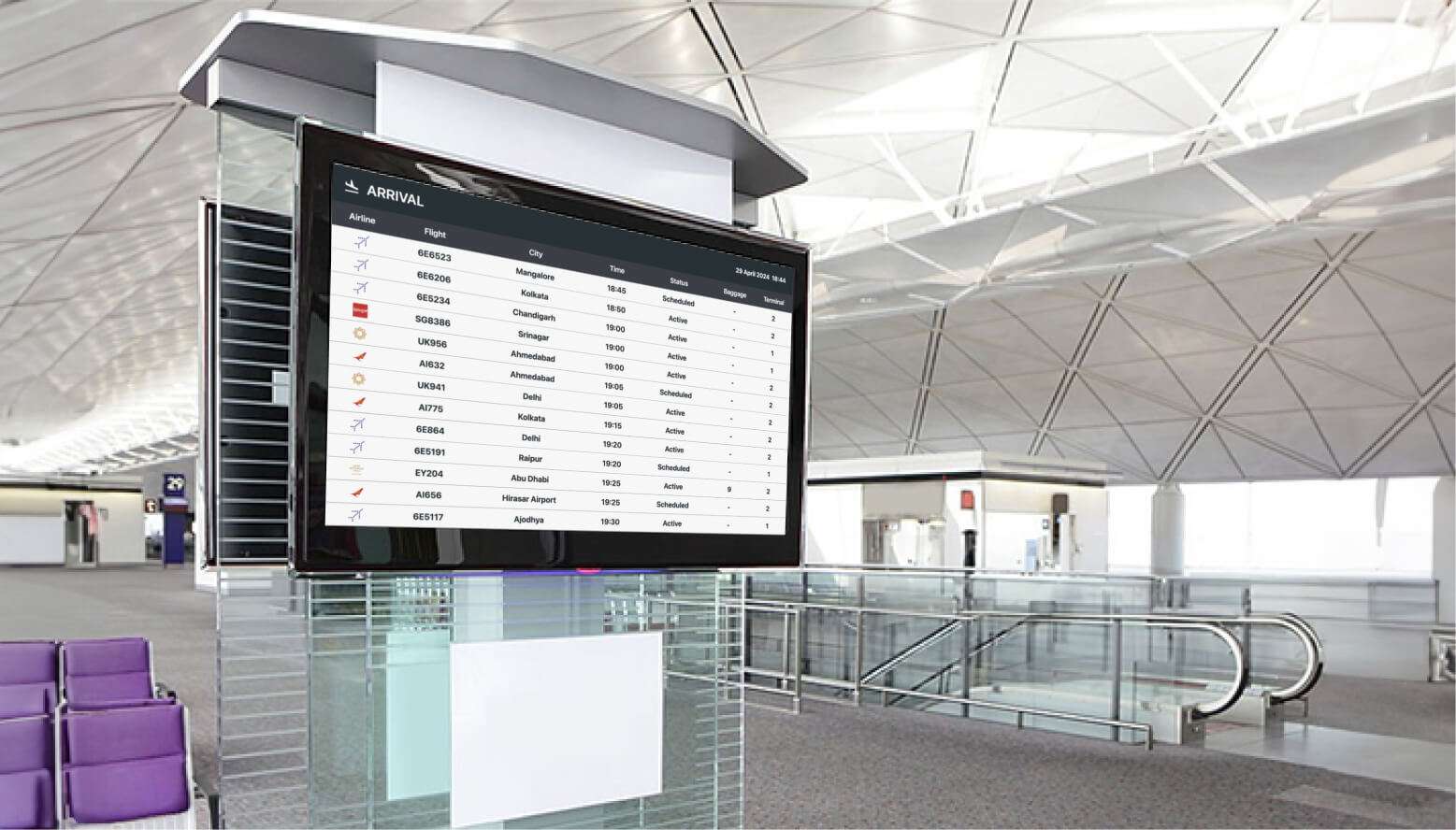
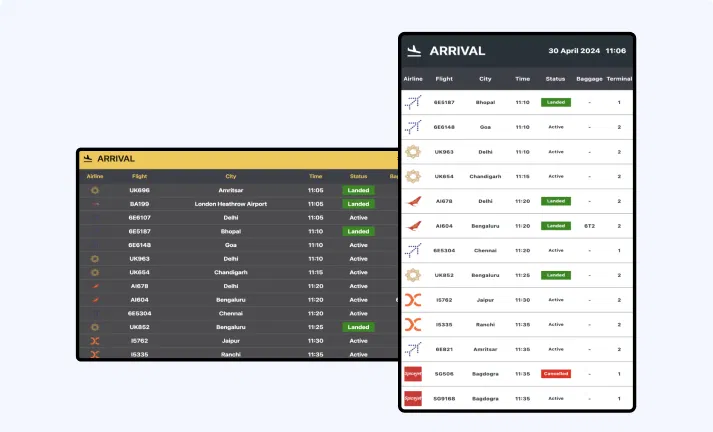
Airport digital display showing flight information

App Features

Flight status is crucial, as it allows viewers to make advance choices in case of delays or cancellations of their flight. Adding Flight to your digital signage will provide live flight status updates for any desired airport. This integration is essential for airports or hotels located nearby.
Auto-update flight status screenshot

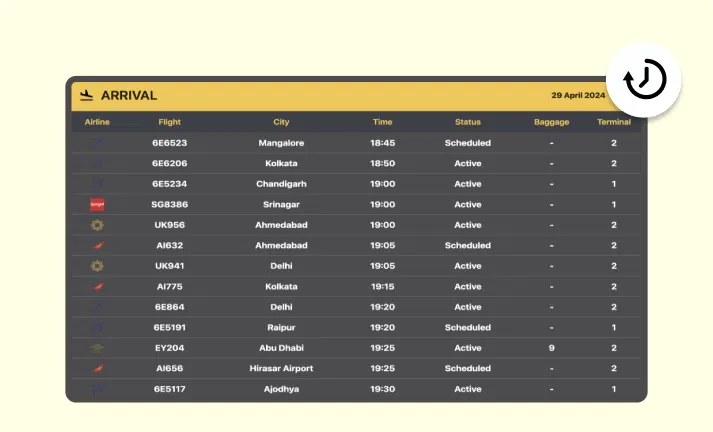
Auto-update of flight status

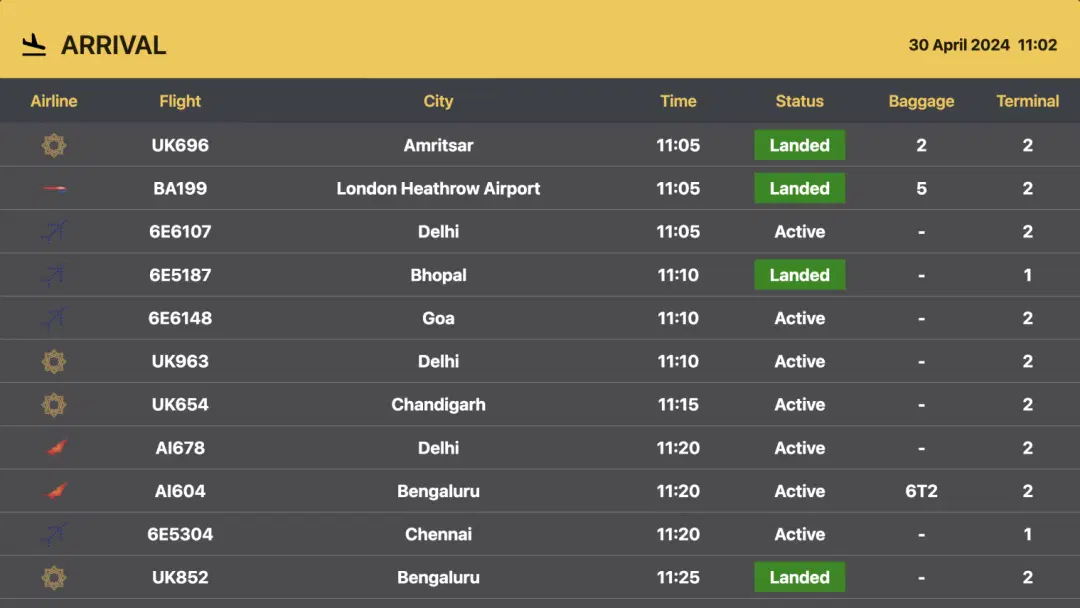
The flight status will be updated automatically once the required settings are done. Flight status (scheduled, active, delayed), time, city, baggage, terminal, and flight number with airlines will be displayed and updated with time.
Control arrival and departure setup screenshot

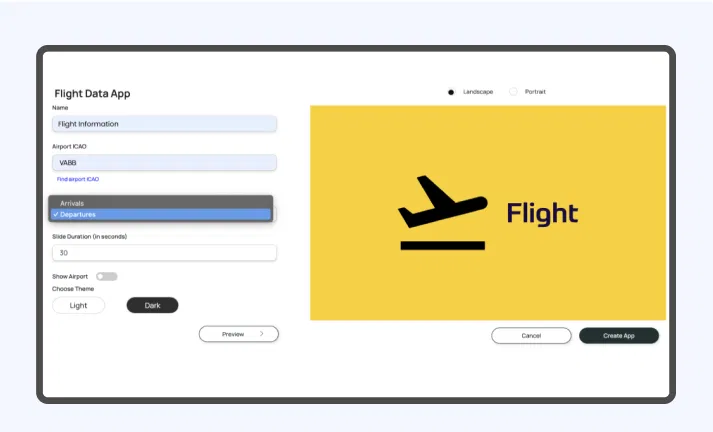
Control arrival and departure setup

You can display live updates of flight arrivals and departures. You have the option to choose whether you want to display arrivals or departures on the screen. Additionally, all the information will update immediately in real-time.
Customize slide duration screenshot

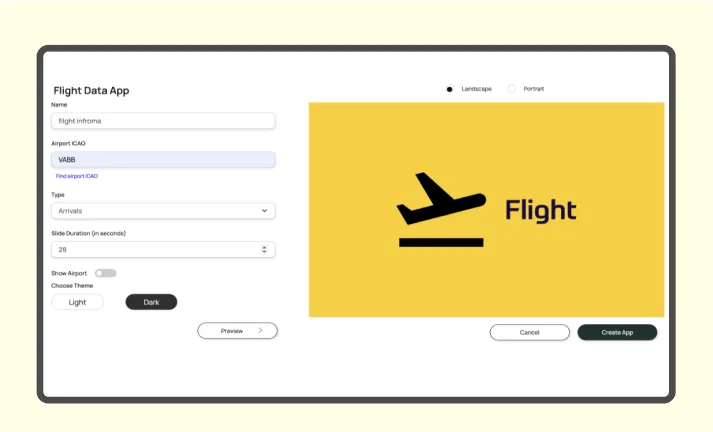
Customize the slide duration

Choose how long you want each slide to be displayed before moving on to the next one. You can set the intervals between slides to any duration from 1 to 300 seconds.
Preview option screenshot

Option for preview

Preview how the layout will appear when it's displayed. Check if all the information is visible and determine which orientation will suit your digital screen.

Same App, Different Looks!

Display the live updates of flight information in both dark and light mode. Which one is your favorite?
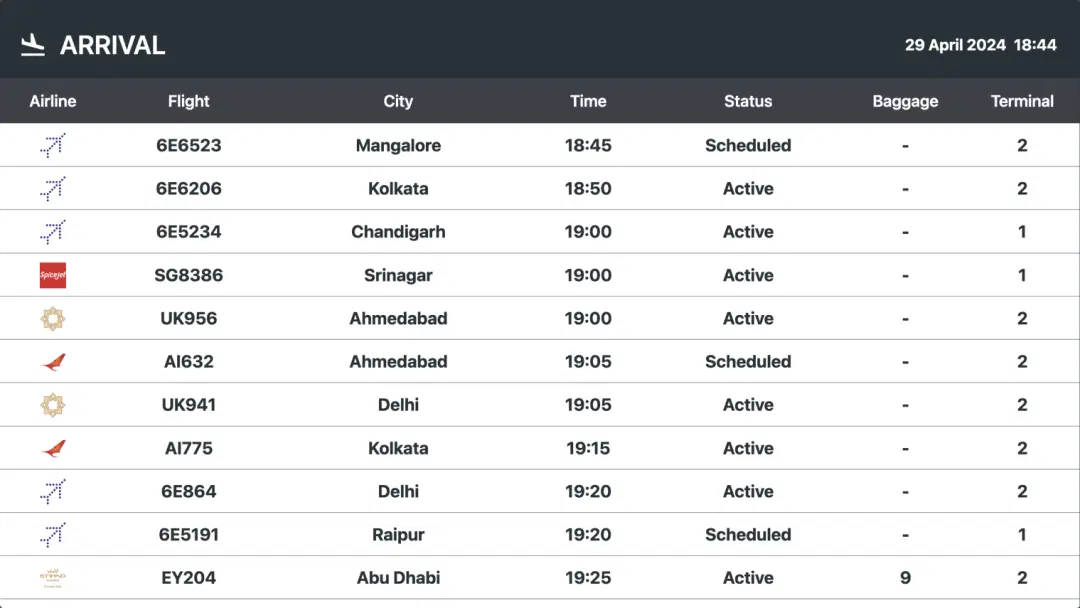
Flight app light mode
Flight app dark mode

Ready to unlock the Pickcel Flight app for your digital signage?

Get Demo
Start 14-day Free Trial
customers engagement

Interesting Use Cases for the Flight App

We have listed a few. The sky is the limit for you!
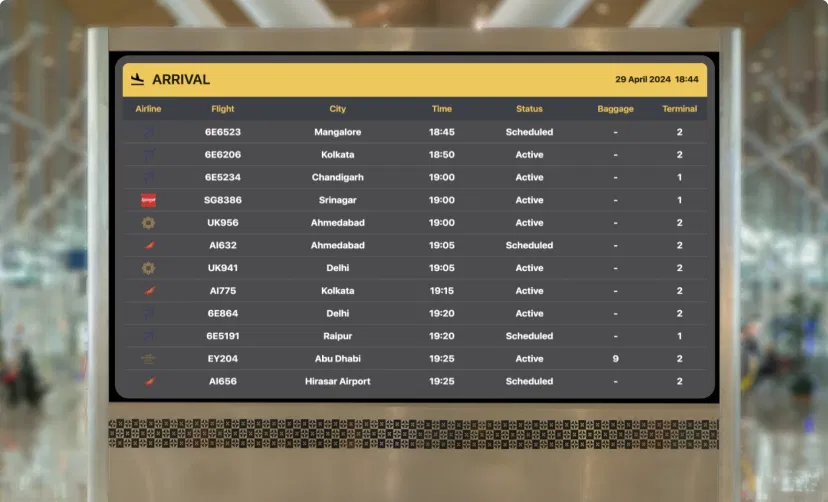
Flight updates in airport

Flight updates in the airport

Passengers can receive timely updates about their flights, including information about terminals and gates. It also enables them to handle flight delays and cancellations.
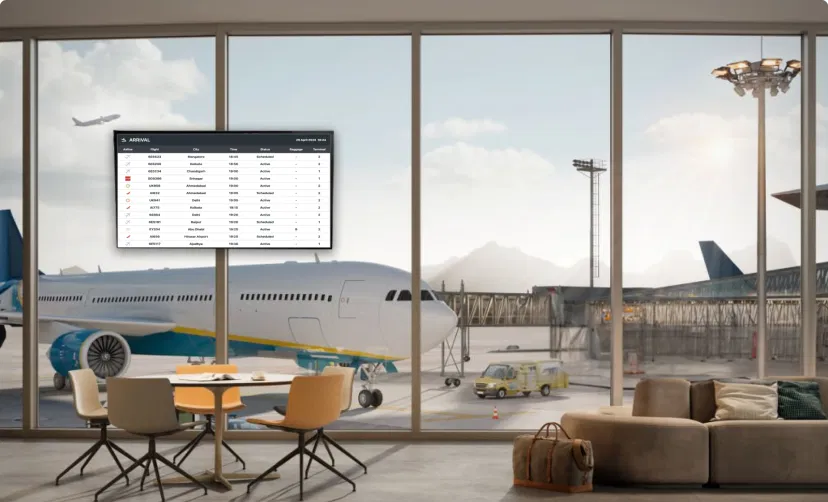
Flight status in hotel lobby

Flight status in the hotel lobbies for the guests

Guests can manage their check-in and check-out times according to their scheduled flights. Live flight updates in the hotel are a perk for them when they are not at the airport.

How to add the Flight app to your digital signage?
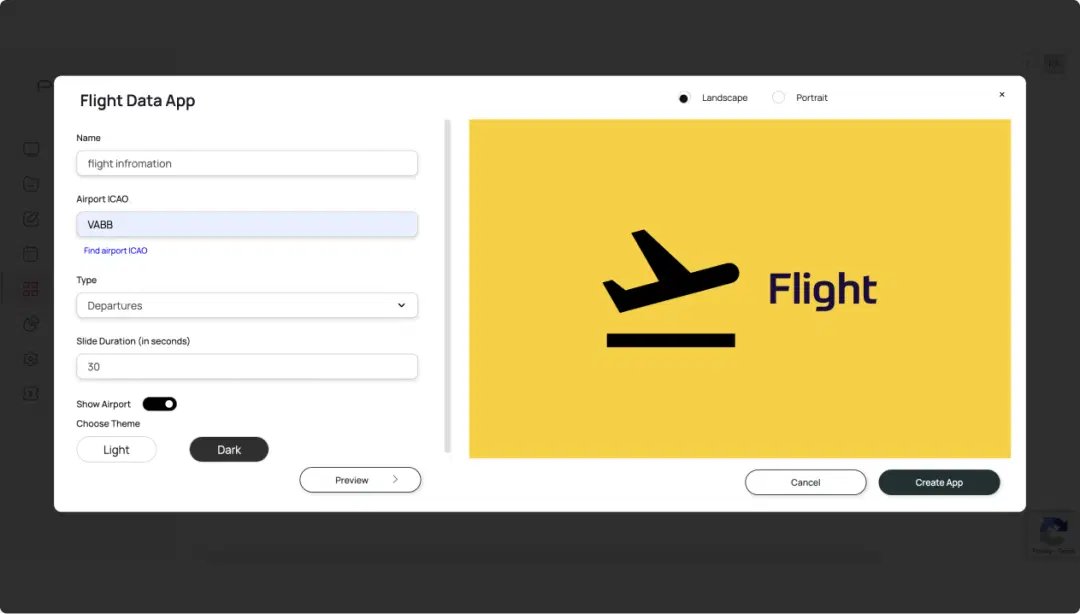
Step 1: Configure the app
Step: 1

Configure the app from the app store

Add the app name, paste the desired Airport ICAO, select the type, set the slide duration, then preview the changes and save.
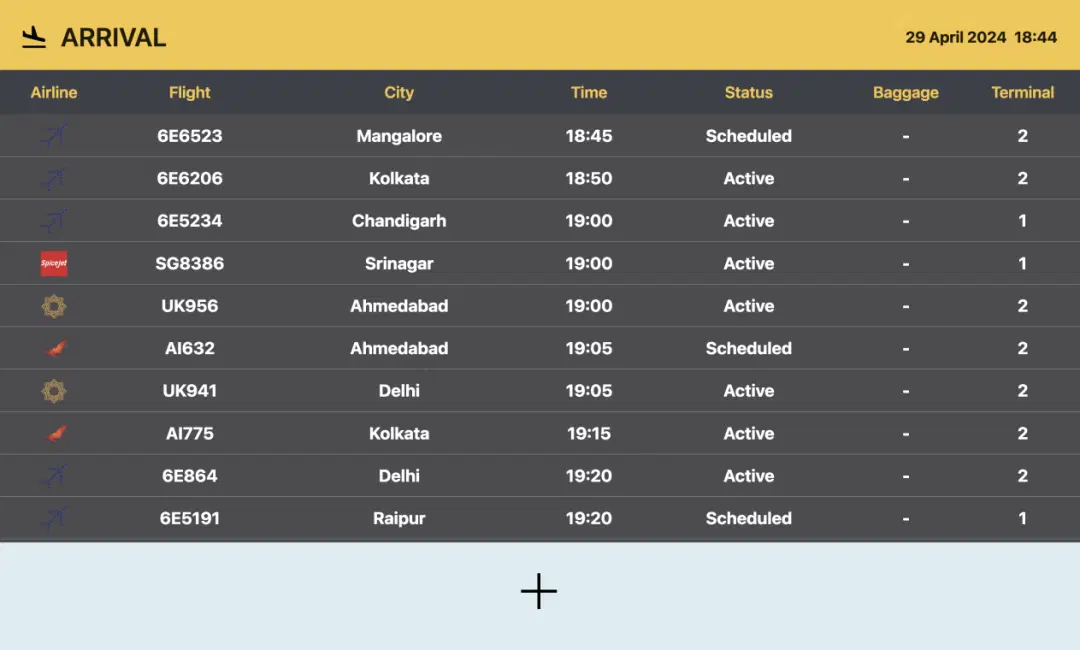
Step 2: Create composition
Step: 2

Create a composition

Show the live flight updates on full-screen. Or create a multi-zone layout to display alongside other content.
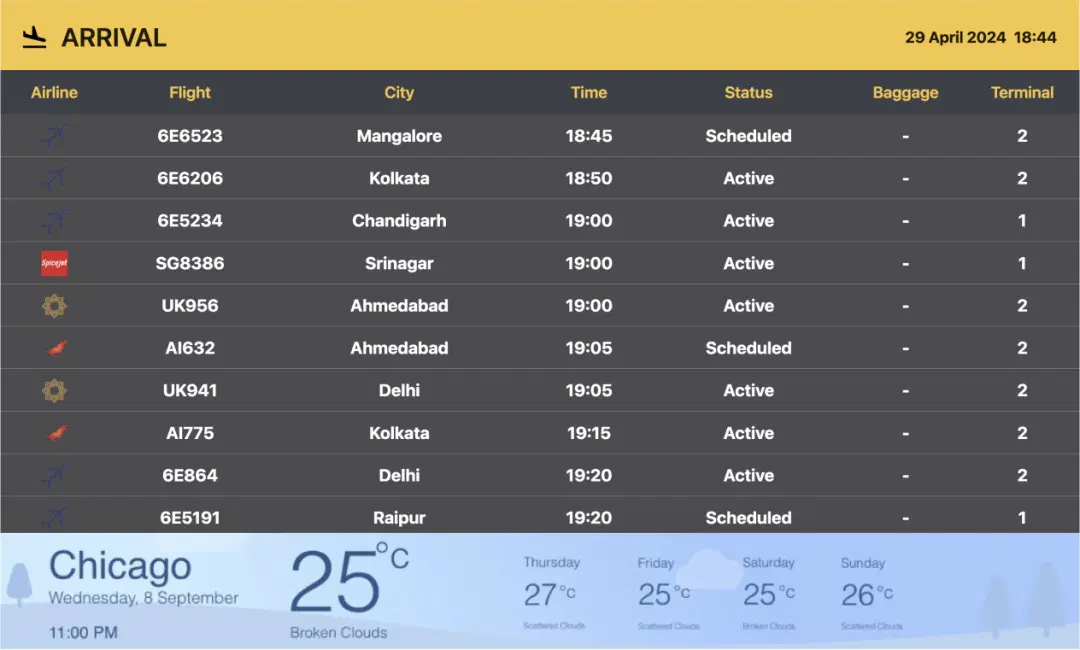
Step 3: Publish composition
Step: 3

Publish the composition

Select the screens and hit publish.

More Pickcel Apps to Complement the Flight App on your Digital Signage

World Clock

World Clock

Display the time of any city in the world

View This App
Traffic icon

Google Traffic app

Present live traffic updates

View This App
Digital bulletin board app

Digital bulletin board app

Show notices & announcements

View This App
Air quality icon

AQI App

Enrich your signage with live air quality data

View This App
Explore 100+ Digital Signage Apps
World Clock
screen before
Pickcel Logo

Trusted Cloud & On-Premise Digital Signage Software for Businesses Worldwide.

Facebook logoLinkedIn logoTwitter logoYoutube logoInstagram logoPinterest logo
Capterra BadgeGoodFirms BadgeG2 logo

Product

  • Software Features
  • Digital Signage Hardware
  • Digital Menu Board Software
  • Digital Signage Player
  • Interactive Kiosk
  • OTT Digital Signage Software
  • Queue Management Software
  • Visitor Management software
  • On-premise Digital Signage

Enterprise

  • Integrations & Automation
  • On-premise Digital Signage
  • Our Services

Solutions

  • Corporate Communication
  • Retail Digital Signage
  • Digital Signage Hospitality
  • Multi Channel Employee Communication
  • Restaurant Digital Signage
  • Banking & Finance Signage
  • Transportation Digital Signage
  • Digital Product Catalogue
  • Electronic Bulletin Board
  • Employee Communication App
  • Wayfinding Signage

Company

About UsContact UsSupportPress ReleaseCareers

Resources

  • Case Studies
  • What is digital signage?
  • Digital Signage Blog
  • Apps
  • Pricing
  • FAQ

Partner program

  • White Label Digital Signage
  • Reseller Digital Signage
Privacy|Refund|Terms

Copyright © 2026 LaneSquare Technology Pvt Ltd