Pickcel

Core Platform

  • Software Features
  • Pickcel Comms
  • Templates
  • Security & Compliance

Enterprise

  • On-Premise
  • Integrations & Automation
  • Our Services

Extensions & Apps

  • Mobile App
  • App Integrations

Digital Signage Players

  • Android
  • Samsung Tizen
  • BrightSign
  • Amazon Signage Stick
  • View all Players
What is Digital Signage?

Learn the basics of digital signage and how it can transform your business.

Industries We Serve

  • Office
  • Retail
  • Restaurant
  • Manufacturing
  • Hospitality
  • Healthcare
  • Transportation
  • Education
  • View all Industries

Solutions

  • Dashboard
  • FIDS
  • Digital Menu board
  • Car Dealership App
  • Wall Craft
  • Event Stream
  • Transport PIS
  • Social Wall
  • View all Solutions
See How Pickcel  Helped Amazon
See How Pickcel Helped Amazon

Case Studies

  • Mercedes-Benz
  • Accenture
  • Magnolia Bakery
View all

All Resources

  • Digital Signage Blog
  • Learn
  • Digital Signage Gallery
  • Case Studies
  • Support
  • Download
Partnerships
Partnerships

Partnerships

  • White-Label
  • Reseller
Pricing
Login

Digital Signage Dashboards That Stay Signed In and On Screen

Put Power BI, Tableau, Jira and internal dashboards on workplace screens, signed in automatically and refreshed on schedule, on the players you already run. See plans and pricing. Dashboard apps are included on the Business and Enterprise plans.

14-day free trial · No credit card required
Get Started
Pickcel reviews on Capterra and G2

Trusted by 9,000+ businesses · 150,000+ screens · 70+ countries

Trusted by 9,000+ businesses · 150,000+ screens · 70+ countries

Nestlé
Mercedes-Benz
Unilever
Amazon
HCLTech
Proof

What a Digital Signage Dashboard Is, and Who Runs One on Pickcel

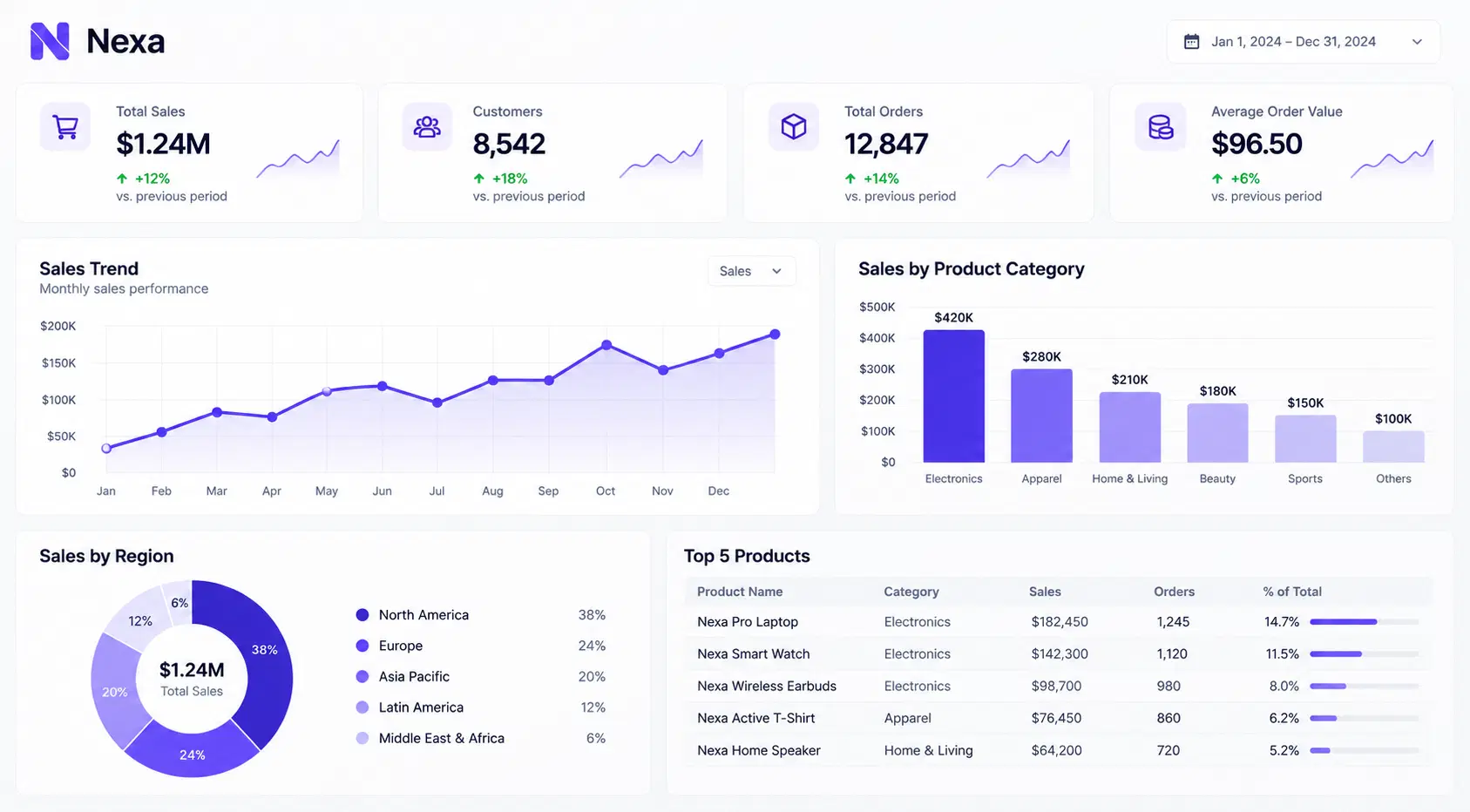
A digital signage dashboard is a live business report, KPI view or project board shown on a shared screen instead of a laptop. Pickcel signs in to the dashboard on the screen's behalf, refreshes it on a schedule you set, and plays it alongside the rest of your signage content.

2 screens

per player

Nestlé Australia runs live Power BI and FourKites dashboards on BrightSign floor screens, signed in through Nestlé's SSO behind a strict corporate firewall. One BrightSign player drives two Samsung screens.

Read the Nestlé Australia case study

On-premise

deployment

Applied Physical Sciences, a General Dynamics company, shows real-time project and workflow data on Windows screens, with Pickcel hosted on its own servers.

Read the General Dynamics story

0

on-site visits

Mercedes-Benz had Pickcel installed on-premise at its Berlin office over temporary VPN access, on the Raspberry Pi players already there. The deployment carries internal communication.

Read the Mercedes-Benz case study
The problem

Why a Dashboard on a TV Usually Stops Working

Dashboards built for a desk break on a wall screen in three places.

The sign-in expires.

BI tools end sessions after a set time and ask for a code when you sign back in. A TV has nobody to type it, so the screen sits on a login page until someone walks over with a keyboard.

The screen cannot reach the dashboard.

Internal dashboards live on an intranet or behind a firewall. A publish-to-web link would put business data on an open URL, and most IT teams refuse that.

The player cannot draw it.

Signage players run different browser engines. A Power BI report that loads on a laptop can fail on a media player, which is the wall Nestlé hit with BrightSign.

How it works

How Pickcel Gets a Dashboard Onto the Screen

01

Your dashboard

Power BI, Tableau, Jira, Grafana or an intranet app

Publishing dashboard…0%
02

Pickcel signs in

Service account, authenticator code or Microsoft sign-in

  • Downtown Flagship24 Screens
  • Airport Store18 Screens
03

Pickcel renders it

Live on supported players, or as refreshed snapshots on any player

04

Your screens

Scheduled by team, location or shift

Ready for viewers

Live on the floor

Live — Dashboard source ready…

The sign-in lives with Pickcel, not with the screen. You give a dashboard app the account details once, and Pickcel signs in again before the session expires, on an interval you set. Nobody logs back in on the TV.

Dashboards run inside Pickcel's digital signage software, so the same console schedules them, assigns or revokes each screen's access, and records uptime and playback history for every screen. When an auditor asks whether a safety board was on display last Tuesday, the log answers.

There are two ways to render. Live mode shows the real page as it changes and accepts touch. Snapshot mode captures the page at your refresh interval and runs on every Pickcel player, which matters when one building mixes Android, LG, Samsung and BrightSign screens.

Dashboard apps

Which Pickcel Dashboard App Fits Your Setup

Four dashboard apps cover most setups, and the right one depends on the source, the sign-in method and the player.

Power BI behind Microsoft sign-in or SSO

Pickcel app and players

Microsoft Power BI app: Android, Windows, Linux, Raspberry Pi, Samsung, Fire TV Stick

What you get

Live, interactive reports with no publish-to-web link

Tableau Cloud dashboards

Pickcel app and players

Tableau app: Android, Windows, Raspberry Pi, BrightSign

What you get

Live, interactive Tableau views

Jira, Salesforce, Zendesk, Grafana, Trello, Sentry, AWS CloudWatch or Qlik, or Power BI on LG screens

Pickcel app and players

Dashboard App: every Pickcel player, email and password sign-in with authenticator codes

What you get

One setup across a mixed screen estate, view only

An internal web app with an email and password login

Pickcel app and players

Dashboard Auth: Windows and Linux players, Raspberry Pi included

What you get

Your intranet dashboard on screen, live and touchable, never made public

SSO on a player or identity provider outside these

Pickcel app and players

Custom integration, scoped with your IT team

What you get

A sign-in route built for your setup, the way Nestlé's runs today

Your situationPickcel app and playersWhat you get
Power BI behind Microsoft sign-in or SSOMicrosoft Power BI app: Android, Windows, Linux, Raspberry Pi, Samsung, Fire TV Stick
Live, interactive reports with no publish-to-web link
Tableau Cloud dashboardsTableau app: Android, Windows, Raspberry Pi, BrightSign
Live, interactive Tableau views
Jira, Salesforce, Zendesk, Grafana, Trello, Sentry, AWS CloudWatch or Qlik, or Power BI on LG screensDashboard App: every Pickcel player, email and password sign-in with authenticator codes
One setup across a mixed screen estate, view only
An internal web app with an email and password loginDashboard Auth: Windows and Linux players, Raspberry Pi included
Your intranet dashboard on screen, live and touchable, never made public
SSO on a player or identity provider outside theseCustom integration, scoped with your IT team
A sign-in route built for your setup, the way Nestlé's runs today

Need several dashboards on one touchscreen? Live rendering on Windows and Linux players lets viewers switch between dashboards and use each one's filters, with a touchscreen or other input device attached.

For IT

Sign-In, Network and Hosting: What Your IT Team Will Ask

Your IT team controls the account the screen signs in with, and the screen sees only what that account can see.

A dedicated display account.

Create a read-only account with access to the reports meant for the screen and nothing else. Pickcel turns its credentials into a sign-in token, so no one's personal, high-privilege login sits behind a wall screen.

Authenticator codes, yes. Push and SMS, no.

Pickcel generates the six-digit time-based code from the secret key you copy during 2FA setup. Push approvals, SMS codes and hardware keys need a person in the loop, so they need a different route, which the Pickcel team assesses with you.

Private dashboards stay private.

A player inside your network can render an intranet dashboard directly, so the dashboard never needs a public URL. IT checks routing, DNS, certificates and any VPN or proxy. A cloud-managed Pickcel account still needs its own approved connection out.

On-premise when the cloud is ruled out.

Pickcel also runs on your own servers. Snapshot dashboards and live custom-app dashboards both work on-premise; the dedicated Power BI and Tableau apps are cloud only. Pickcel is SOC 2 Type II and ISO 27001 certified.

Dashboards Pickcel Connects To

Each integration has its own page covering what it shows and how it signs in.

Mounted TV frame
Power BI Dashboard Integration
Power BI

Power BI

Broadcast your business intelligence dashboards with always-up-to-date metrics.

Know more

See Your Own Dashboard on a Screen

Bring your dashboard URL, sign-in method and player model to a 20-minute walkthrough.

No commitment required. 20-minute session with a specialist.

Rollout

Start With One Dashboard, Then Roll It Out

Prove one dashboard on one real screen before you schedule it anywhere else.

Testing a dashboard on one screen in the Pickcel console before rollout
  1. 01

    Step 1: Share the setup.

    Send the dashboard URL, the sign-in method including any MFA or SSO, the player's operating system and where the screen sits on your network.

  2. 02

    Step 2: Test on a real screen.

    Check sign-in, refresh, session expiry and recovery after a reboot. On a touchscreen, test switching and filters too. If you're still choosing hardware, compare Pickcel's signage players against the app table above.

  3. 03

    Step 3: Roll out the approved view.

    Assign it to screens and agree the refresh settings. Show a “last updated” time where the dashboard supports one, so viewers know how fresh the numbers are. For what belongs on a shared screen, see which KPIs to put on workplace dashboard screens.

Show Us the Dashboard Your Team Checks Most, and We Will Put It on a Screen

Join 9,000+ businesses running their screens on Pickcel.

FAQ

Digital Signage Dashboard FAQs

Treat it as a user: the display account needs access to every report it shows, and Microsoft's licensing rules apply to it as they would to a person. The Power BI app reads reports from a shared or custom workspace, not My workspace, so move the reports there first. Confirm the licence type with your Power BI administrator before rollout.
As often as you set it. In snapshot mode you choose a refresh interval, and five to ten minutes suits most dashboards. Live mode shows the page as it changes. Either way, the screen is only as fresh as its source: if your Power BI dataset refreshes hourly, the screen shows hourly data.
Yes. The Dashboard Screen Mapper, a Chrome extension, lets you select the area of the page to display, so a screen shows the three tiles that matter instead of the whole report. For tall dashboards, turn on auto-scroll and the screen moves through the full page over time.
Yes. Place the dashboard app in one zone of a composition, Pickcel's multi-zone layout, next to announcements, a ticker or a clock. You can also schedule it by time of day, so a production board runs during shifts and company news plays during the break.
A password change needs a new sign-in token: update the credentials in the dashboard app and generate the token again. If the source itself is unreachable, the screen cannot refresh, so decide before rollout what viewers should see in that case and who on your team checks the screen.
Yes, and it is separate from how dashboards sign in. Your team can sign in to the Pickcel console through your identity provider, such as Okta, using SAML, OIDC or JWT. SSO is switched on per account by the Pickcel team, so ask your sales contact to enable it.

Product

  • Software Features
  • Digital Signage Hardware
  • Digital Menu Board Software
  • Digital Signage Player
  • Interactive Kiosk
  • OTT Digital Signage Software
  • Queue Management Software
  • Visitor Management software
  • On-premise Digital Signage

Enterprise

  • Integrations & Automation
  • On-premise Digital Signage
  • Our Services

Solutions

  • Corporate Communication
  • Retail Digital Signage
  • Digital Signage Hospitality
  • Multi Channel Employee Communication
  • Restaurant Digital Signage
  • Banking & Finance Signage
  • Transportation Digital Signage
  • Digital Product Catalogue
  • Electronic Bulletin Board
  • Employee Communication App
  • Wayfinding Signage

Resources

  • Case Studies
  • What is digital signage?
  • Digital Signage Blog
  • Apps
  • Pricing
  • FAQ

Company

  • About Us
  • Contact Us
  • Support
  • Press Release
  • Careers

Trust & Compliance

  • Privacy Policy
  • Terms of Service
  • Refund Policy
  • Data Processing Addendum
  • Sub-processors
  • Security
  • Cookie Policy

Partner program

  • White Label Digital Signage
  • Reseller Digital Signage
Capterra4.6G24.6GoodFirms4.6

© 2026 LaneSquare Technology Pvt Ltd. All rights reserved.