Pickcel

Core Platform

  • Software Features
  • Templates
  • Security & Compliance

Enterprise

  • On-Premise
  • Integrations & Automation
  • Our Services

Extensions & Apps

  • Mobile App
  • App Integrations

Digital Signage Players

  • Android
  • Samsung Tizen
  • BrightSign
  • Amazon Signage Stick
  • View all Players
What is Digital Signage?

Learn the basics of digital signage and how it can transform your business.

Industries We Serve

  • Office
  • Retail
  • Restaurant
  • Manufacturing
  • Hospitality
  • Healthcare
  • Transportation
  • Education
  • View all Industries

Solutions

  • Dashboard
  • FIDS
  • Digital Menu board
  • Car Dealership App
  • Wall Craft
  • Event Stream
  • Transport PIS
  • Social Wall
  • View all Solutions
See How Pickcel  Helped Amazon
See How Pickcel Helped Amazon

Case Studies

  • Mercedes-Benz
  • Accenture
  • Magnolia Bakery
View all

All Resources

  • Digital Signage Blog
  • Learn
  • Digital Signage Gallery
  • Case Studies
  • Support
  • Download
Partnerships
Partnerships

Partnerships

  • White-Label
  • Reseller
Pricing
Login
OverviewPricingIntegrationUse CasesFeaturesPlaybookWho it's forCase StudiesFAQ

Point of Sale (POS) for Retail Digital Signage

Retail operations and IT teams get pricing, promotions, and checkout-lane messaging that update automatically from POS transaction data, so a screen never shows a price the register won't honor. Pickcel's digital signage platform connects to your POS through a documented integration method, not a vague promise.

Schedule My Demo
Pickcel reviews on Capterra and G2
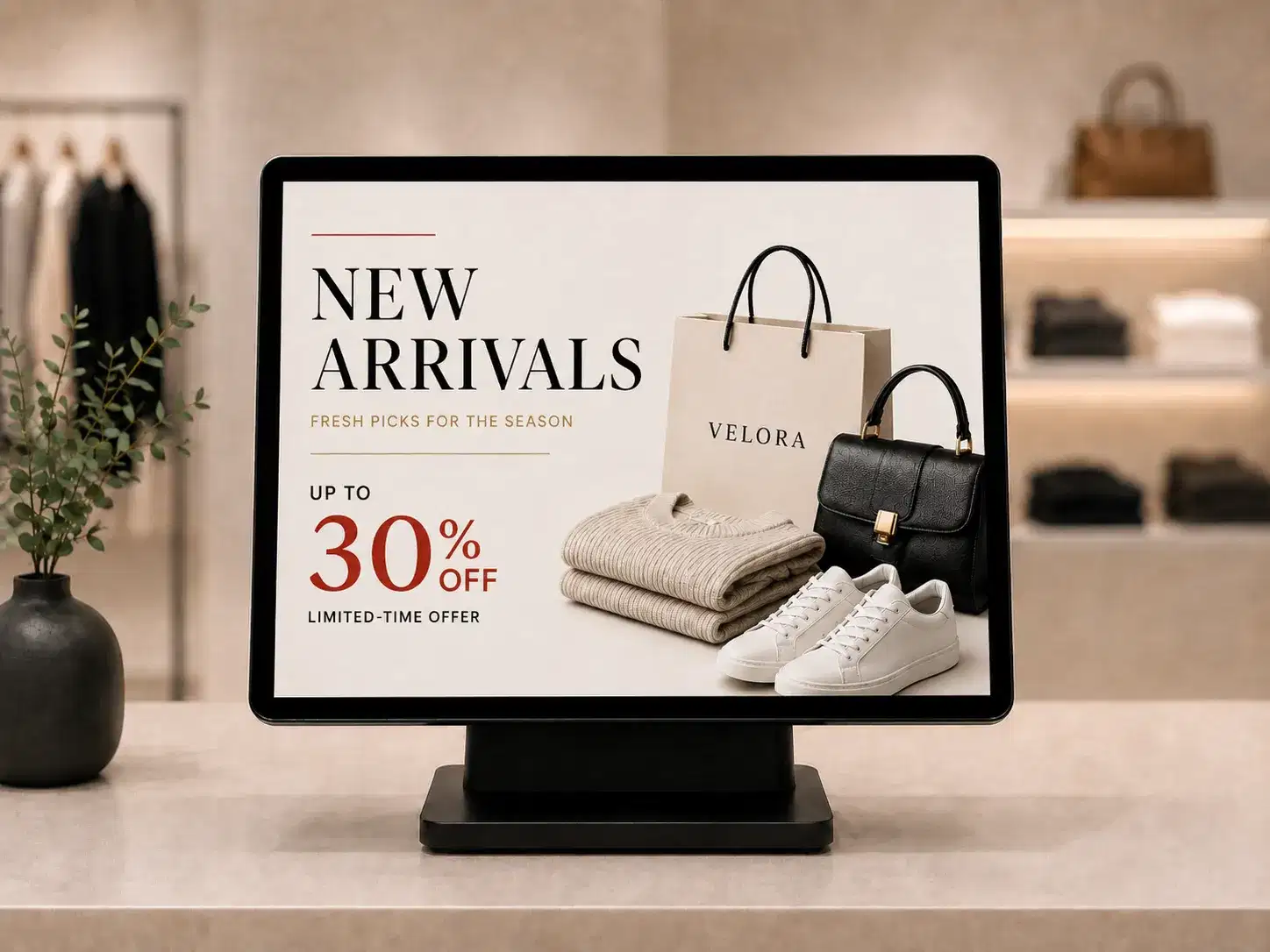
Pickcel digital signage screen at a retail checkout lane showing POS-synced pricing

Built for retail operations and IT teams running POS-linked pricing, inventory sync, and checkout-lane displays.


Built for retail operations and IT teams running POS-linked pricing, inventory sync, and checkout-lane displays.

McDonald's India — digital menu board software client
Amazon retail digital signage client
Asian Paints retail digital signage client
Decathlon retail digital signage client
Namdhari's Fresh retail digital signage client
Real-time
POS-to-screen price and promotion sync
Checkout
Upsell triggers tied to the live transaction
Rollback
Automatic pricing rollback if the POS connection drops
Days
New store live on an existing integration in a few business days

Pricing and promotions turned dynamic

Pickcel links screen content directly to POS pricing data, so when an item's price or promotion status changes at the register, the same change reaches every connected screen without a staff member re-uploading a slide. A price on screen that doesn't match the price at checkout costs a sale, or worse, a customer's trust in every other display in the store.

Inventory status drives the same feed. When a SKU sells out or drops below a threshold set in the POS, its promotional slide can be pulled from rotation automatically instead of continuing to advertise stock that no longer exists on the shelf. A grocery chain running a weekend discount on a produce item can end that promotion the moment inventory clears, rather than relying on a manager to remember to swap the slide before opening.

Time-based logic runs on the same connection. A QSR counter can shift its digital menu board to lunch specials at 11 a.m. and back to breakfast items the next morning, both timed off the same POS data feed that already tracks daypart transitions for reporting. An apparel retailer clearing end-of-season stock gets the same benefit in reverse: as a markdown schedule steps a jacket's price down over three weeks in the POS, the in-store screen reflects each step the moment it takes effect, instead of a floor associate manually updating a price card on a fixed day each week and occasionally missing one.

Seconds

webhook push to screens where the POS platform supports it

~60s

polling fallback where the POS only exposes file-based access

Once

setup per POS platform, not once per store

How the POS connection actually works

Integration mechanics

During setup, your POS data schema (SKUs, prices, promotion flags, inventory counts) gets mapped to a Pickcel content feed by Pickcel's implementation team. Where the POS platform supports webhooks, updates push to connected screens within seconds of the transaction or price change. Where a POS system only exposes file-based or polling access, Pickcel falls back to scheduled polling, typically every 60 seconds, so screens still stay close to real time without needing a webhook-capable POS.

01

POS system

SKUs, prices, promotion flags, inventory counts

Mapping POS data to the content feed…0%
02

Pickcel content feed

schema mapped once per POS platform; webhook push where supported, ~60s polling fallback where it isn't

  • Legacy POS stores1 Screens
  • Cloud POS openings1 Screens
03

Connected screens

shelf-edge display, checkout-lane screen, menu board

04

Shopper at the register

sees the same price the POS will charge

Ready for viewers

Live on the floor

Live — Mapping SKUs, prices, and promotion flags…
  • Setup happens once per POS platform, not once per store.

  • A multi-location retailer running the same POS system across every site configures the data mapping a single time; each new store location then connects to that same integration, sending its own store-specific pricing and inventory data through the same feed rather than requiring a fresh setup per site.

  • A retailer running two different POS systems across different store formats (a legacy system in older stores, a newer cloud POS in recent openings) can run both integrations side by side into the same Pickcel dashboard.

  • Data moves over an encrypted API connection, and Pickcel's infrastructure is SOC 2 Type II and ISO 27001 certified, the same standard covering every other data flow on the platform.

  • That matters to an IT manager approving a new data connection between the POS system and a public-facing display network, not just to the marketing team choosing what appears on screen.

Book a Free Demo
POS Use Cases

More ways a POS connection supports the store

POS Use Cases

More ways a POS connection supports the store

Checkout upsell triggers

A checkout-lane screen that knows what's in the current transaction can suggest what to add to it. When POS data flags a qualifying item at checkout, such as a phone case add-on when a phone is scanned or a side item when a main dish rings up, the connected screen at that lane can surface a matching offer in the same window the customer is standing at the register.This runs separately from a store's general promotional rotation. A checkout-lane trigger fires off the specific transaction in progress, not a scheduled slide that plays regardless of what's being purchased, which is the mechanism a generic "POS integration" claim usually skips over entirely. A retailer testing this typically starts with one or two high-margin add-on categories at a single lane before expanding it store-wide, since the trigger rules need to be mapped to actual SKU pairings before they go live.A grocery chain can map a checkout trigger to a basket-level condition rather than a single SKU: a transaction crossing a set spend threshold surfaces a loyalty-tier offer instead of a product add-on, using the same POS feed that already tracks the running basket total. The trigger logic sits on Pickcel's side of the connection, so changing which SKUs or basket conditions fire an offer doesn't require a POS configuration change, only an update to the mapping inside the Pickcel dashboard.

So you can Offers fire off the live transaction, not a scheduled slide
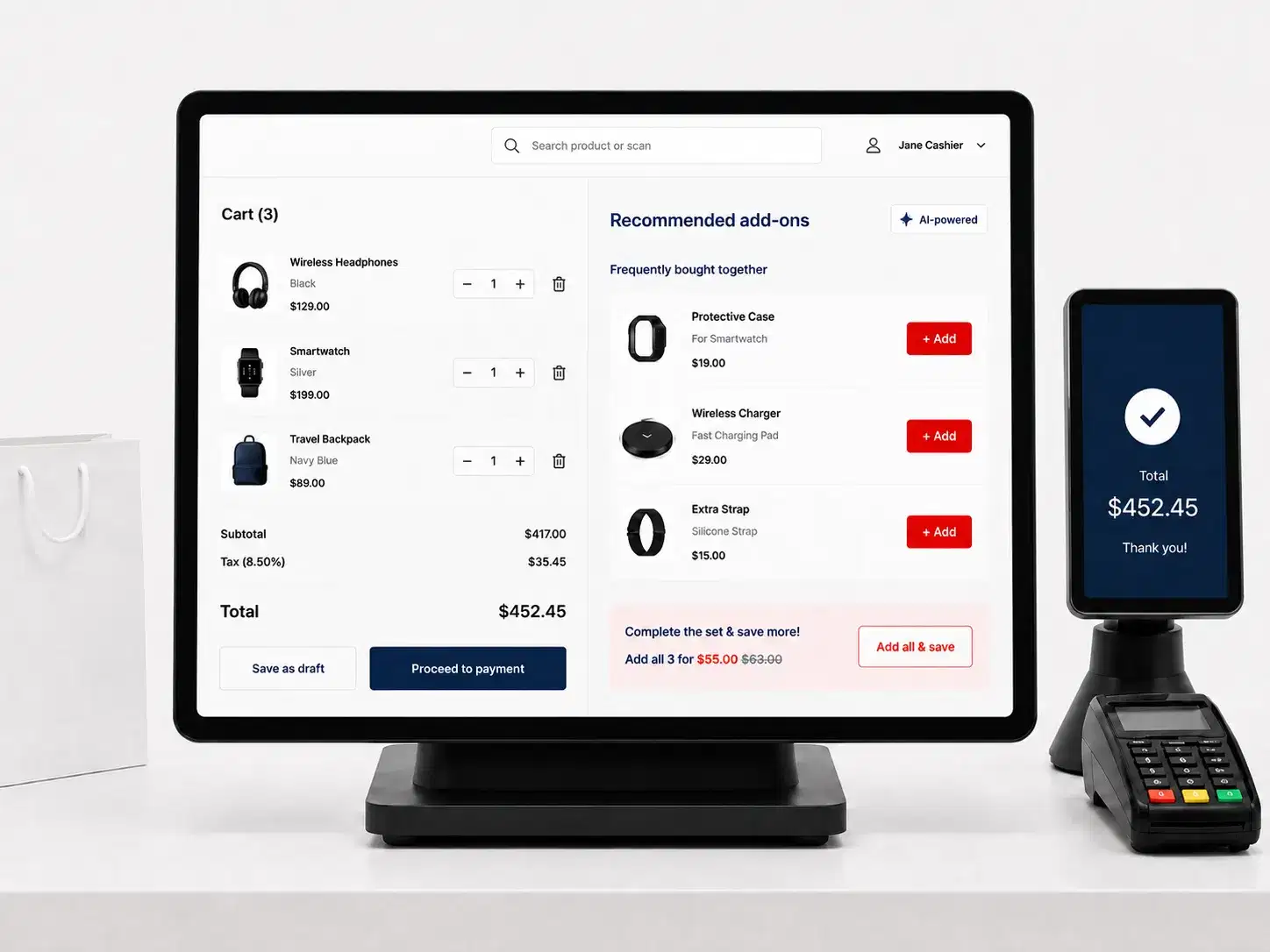
Retail checkout-lane digital signage screen showing a POS-triggered upsell offer

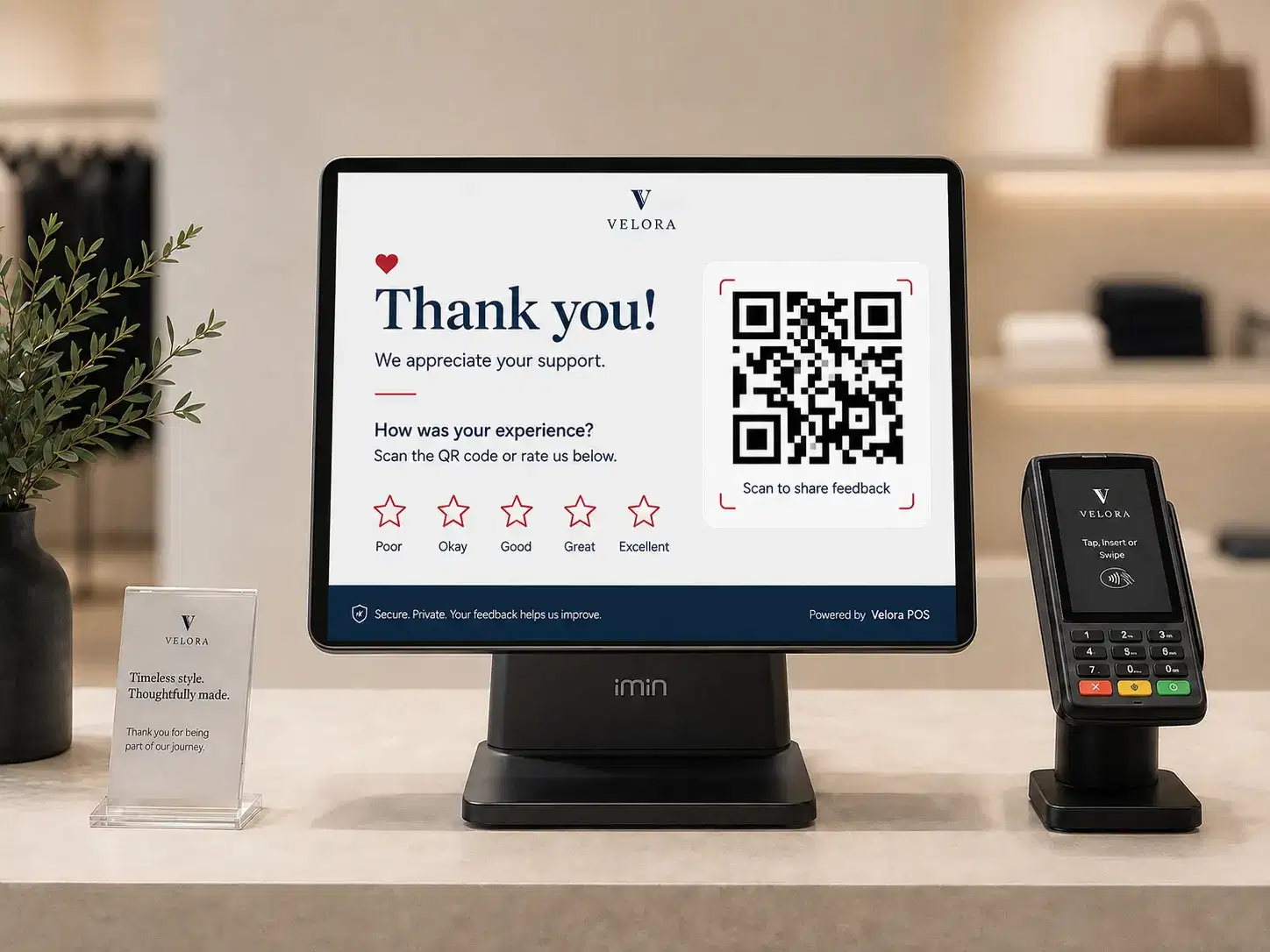
Improve with customer feedback

After a purchase, the same POS-linked screen can prompt a customer for feedback through a QR code tied to that specific transaction or store location. The response feeds back to the store's service metrics rather than a generic, unattributed survey link.

So you can Feedback tied to the transaction, not a generic survey

POS-linked retail screen prompting post-purchase customer feedback

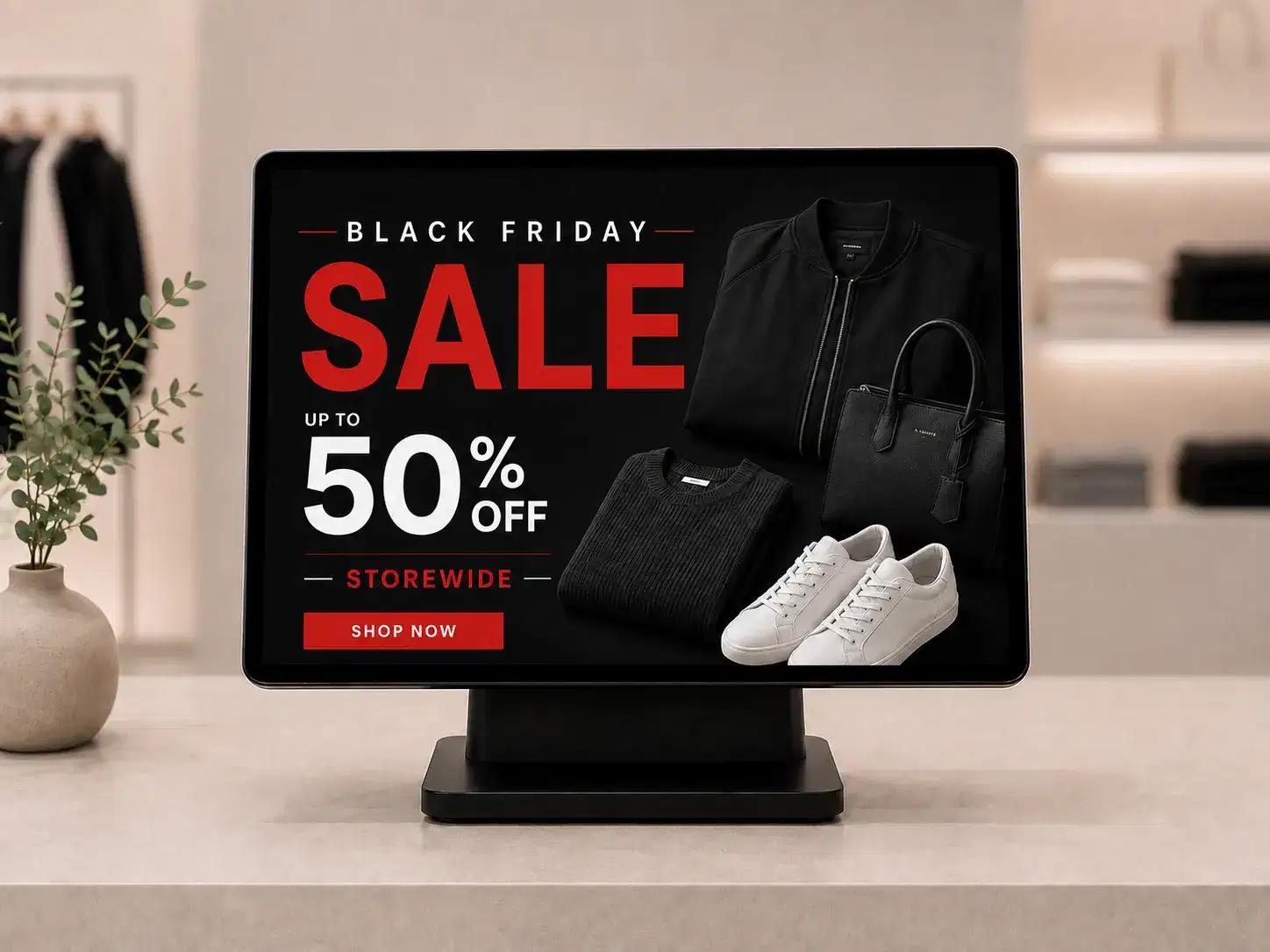
Schedule content for special occasions

Content can shift by time of day, day of week, or a specific event, coordinated with the same POS sales data driving pricing. A store can pre-schedule a holiday promotion to activate the morning of a peak shopping day and revert automatically once the window closes, without a manager logging in to make the swap.

So you can Holiday windows activate and revert on schedule

Retail digital signage scheduled for a special occasion promotion

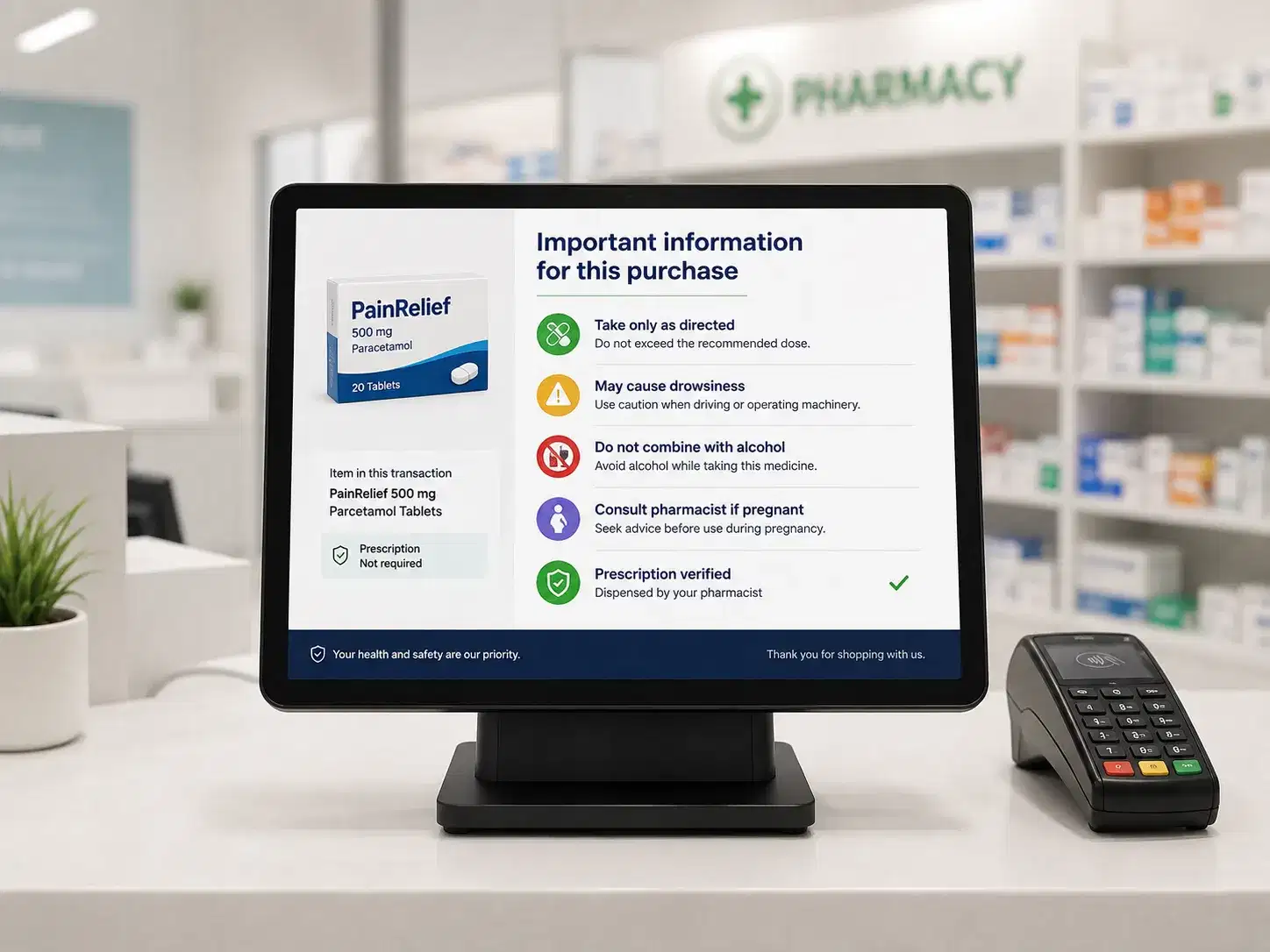
Inform for customer safety and compliance

For regulated retail environments like pharmacies, a POS-linked screen can display mandatory information tied to the specific drug or product in a transaction, along with general compliance notices relevant to that store and purchase type. The content changes with what's actually being purchased, not a static compliance poster that says the same thing regardless of the transaction at the counter.

So you can Compliance content follows the actual purchase

POS-linked retail screen showing safety and compliance messaging
How POS integration helps your retail business

How POS integration helps your retail business

Beyond pricing, upsells, and compliance, a POS connection supports a handful of other store-floor use cases worth naming.

Social media integration

Product-related social content, such as customer posts tagging a specific item, can run alongside that item's POS-driven pricing on the same screen, giving a shopper more than a price to look at while deciding.

Retail digital signage showing social media content alongside POS pricing

Interactive kiosks

A customer can browse, check pricing, and in some deployments complete a purchase directly at an interactive kiosk pulling live data from the same POS feed that updates every other screen in the store.

Interactive retail kiosk pulling live POS pricing data

Queue management

In grocery stores or bank branches, a POS-linked screen can show queue status or estimated wait time, which comes from the same transaction data used for pricing, not a separate system a store has to maintain on its own.

POS-linked queue management display in a retail store

Loyalty program integration

When a customer checks out or scans a loyalty card, the nearest screen can display their program status or an available reward, tied to the account information the POS system already holds at that point in the transaction.

Retail checkout screen showing loyalty program status from POS data

Social media integration

Product-related social content, such as customer posts tagging a specific item, can run alongside that item's POS-driven pricing on the same screen, giving a shopper more than a price to look at while deciding.

Retail digital signage showing social media content alongside POS pricing

Interactive kiosks

A customer can browse, check pricing, and in some deployments complete a purchase directly at an interactive kiosk pulling live data from the same POS feed that updates every other screen in the store.

Interactive retail kiosk pulling live POS pricing data

Queue management

In grocery stores or bank branches, a POS-linked screen can show queue status or estimated wait time, which comes from the same transaction data used for pricing, not a separate system a store has to maintain on its own.

POS-linked queue management display in a retail store

Loyalty program integration

When a customer checks out or scans a loyalty card, the nearest screen can display their program status or an available reward, tied to the account information the POS system already holds at that point in the transaction.

Retail checkout screen showing loyalty program status from POS data
Who needs Pickcel's retail solutions?

Who needs Pickcel's retail solutions?

Any retail format running a POS system can put this to use, and the specifics shift by store type. A grocery or supermarket chain uses it most for inventory-linked pricing and queue status. A pharmacy uses it for compliance content tied to a transaction. A fashion or apparel retailer leans on checkout upsells and loyalty-tied screens at the register. An electronics store or a shopping mall operator typically combines several of these at once, running pricing sync on the sales floor alongside wayfinding or directory screens elsewhere in the property.Store size changes what a rollout looks like more than store type does. A single-location retailer typically connects one POS system to one Pickcel account and is live within the same onboarding window as any other new deployment. A multi-site chain adds each store's POS feed into the same central account as that store opens or converts, so a regional operations manager sees pricing and promotion status across every connected location without visiting each store's back office.

Pharmacies

Grocery Stores

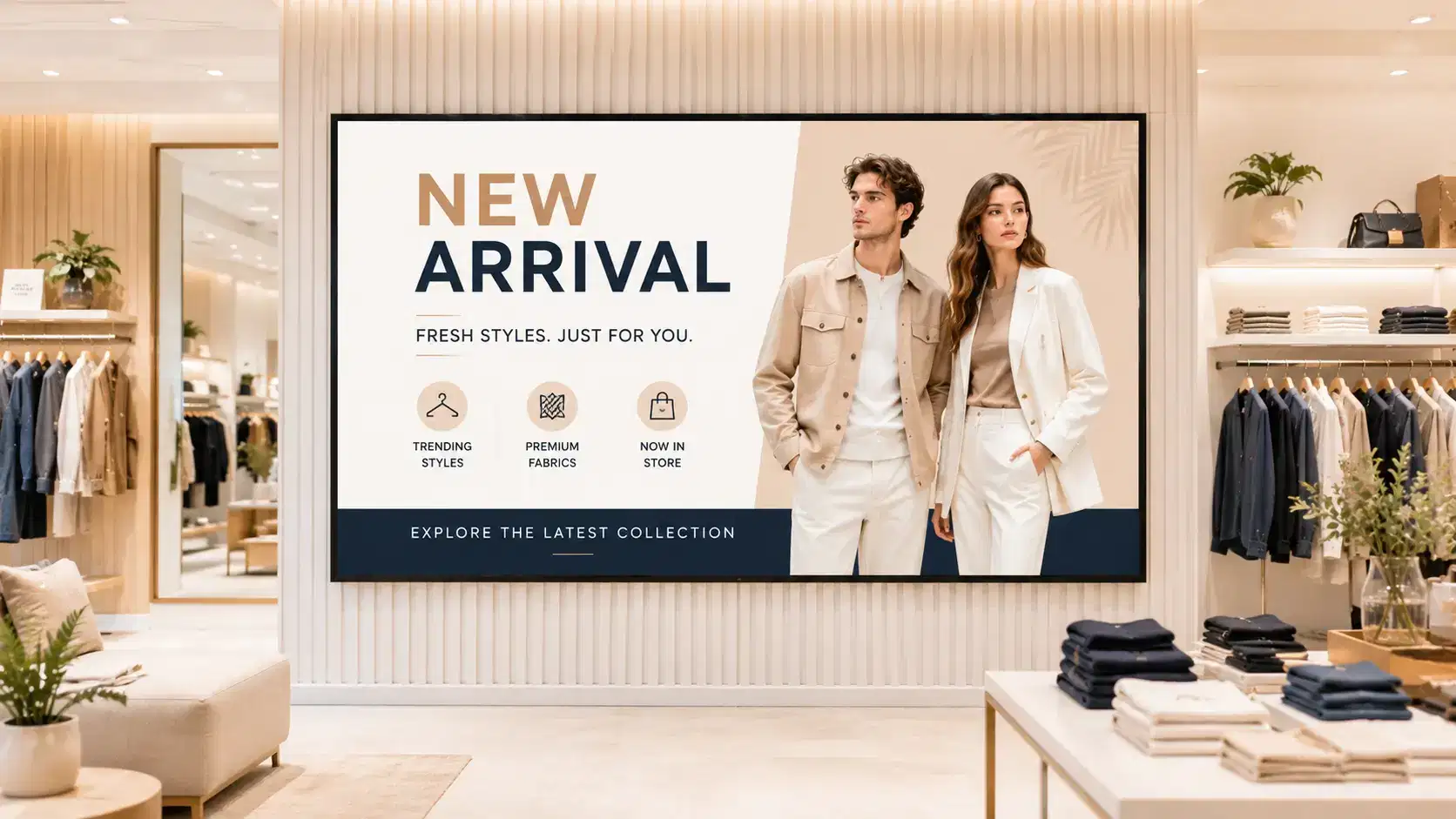
Fashion & Apparel

Shopping Malls

Book a Free Demo
Case Studies

Related Case Studies

Retail digital signage solutions
Industry

Retail digital signage solutions

Pickcel's retail digital signage solutions for in-store screens, pricing, and promotions.

Explore retail →
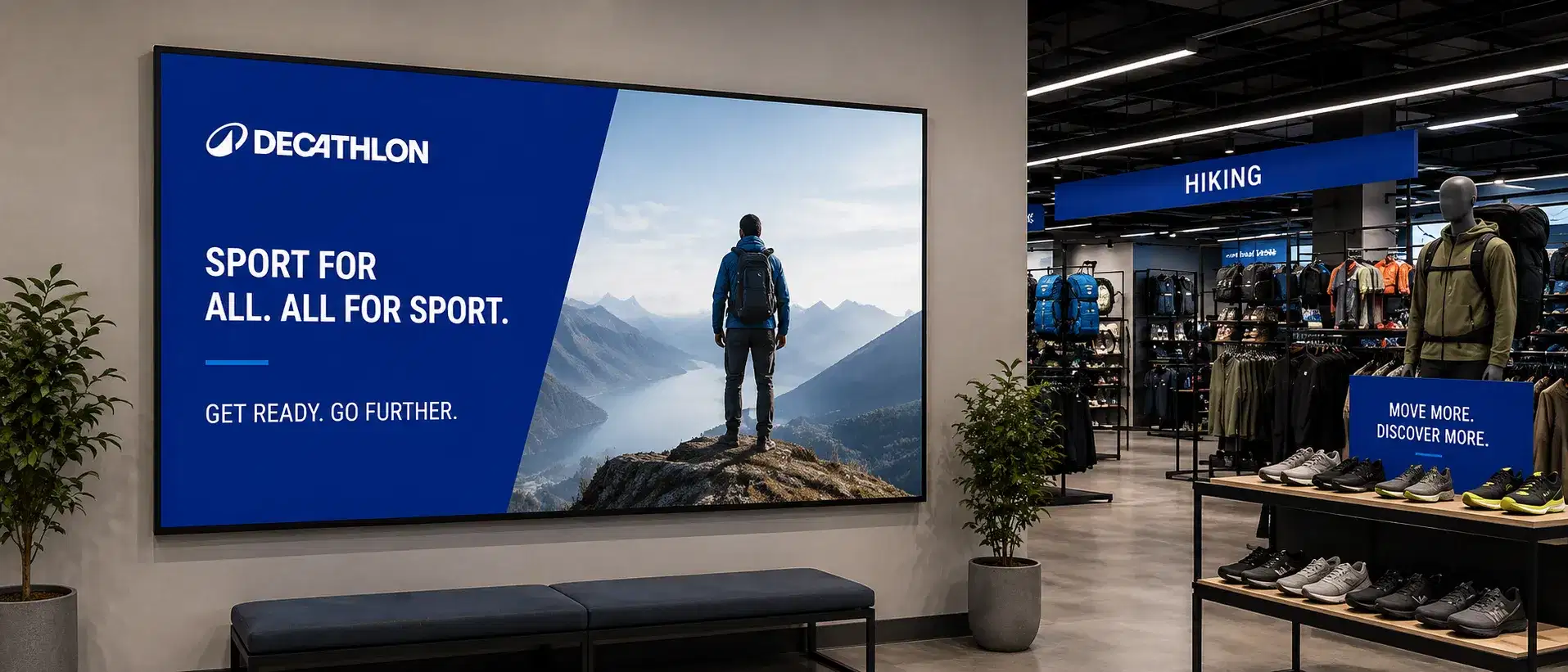
Decathlon retail digital signage case study
Case Study

Decathlon

Decathlon retail digital signage case study.

Read case study →
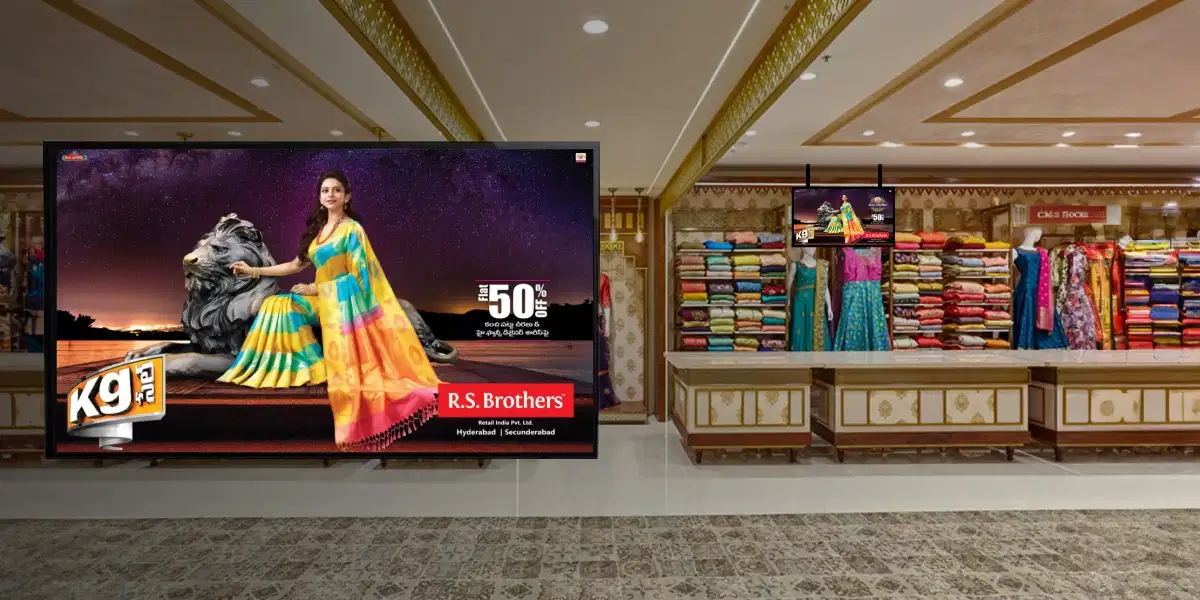
RS Brothers retail digital signage case study
Case Study

RS Brothers

RS Brothers retail digital signage case study.

Read case study →
Retail signage playbook
Playbook

Retail signage playbook

Get the retail signage playbook.

Get the playbook →
FAQ

FAQ

During setup, Pickcel runs a verification pass: a test price change from the POS is confirmed on a connected screen before the integration goes live. After launch, each store's dashboard shows a last-synced timestamp per screen, so an operations manager can spot a stalled feed before a customer sees a wrong price on the floor.

Connect your POS to every screen in the store

Named integration mechanics, real-time inventory sync, and checkout-lane upsells that fire off the actual transaction: see it configured against your own POS system.

Product

  • Software Features
  • Digital Signage Hardware
  • Digital Menu Board Software
  • Digital Signage Player
  • Interactive Kiosk
  • OTT Digital Signage Software
  • Queue Management Software
  • Visitor Management software
  • On-premise Digital Signage

Enterprise

  • Integrations & Automation
  • On-premise Digital Signage
  • Our Services

Solutions

  • Corporate Communication
  • Retail Digital Signage
  • Digital Signage Hospitality
  • Multi Channel Employee Communication
  • Restaurant Digital Signage
  • Banking & Finance Signage
  • Transportation Digital Signage
  • Digital Product Catalogue
  • Electronic Bulletin Board
  • Employee Communication App
  • Wayfinding Signage

Resources

  • Case Studies
  • What is digital signage?
  • Digital Signage Blog
  • Apps
  • Pricing
  • FAQ

Company

  • About Us
  • Contact Us
  • Support
  • Press Release
  • Careers

Trust & Compliance

  • Privacy Policy
  • Terms of Service
  • Refund Policy
  • Data Processing Addendum
  • Sub-processors
  • Security
  • Cookie Policy

Partner program

  • White Label Digital Signage
  • Reseller Digital Signage
Capterra4.6G24.6GoodFirms4.6

© 2026 LaneSquare Technology Pvt Ltd. All rights reserved.