
Digital Sales Board Software: Real-Time Leaderboards for Sales Teams
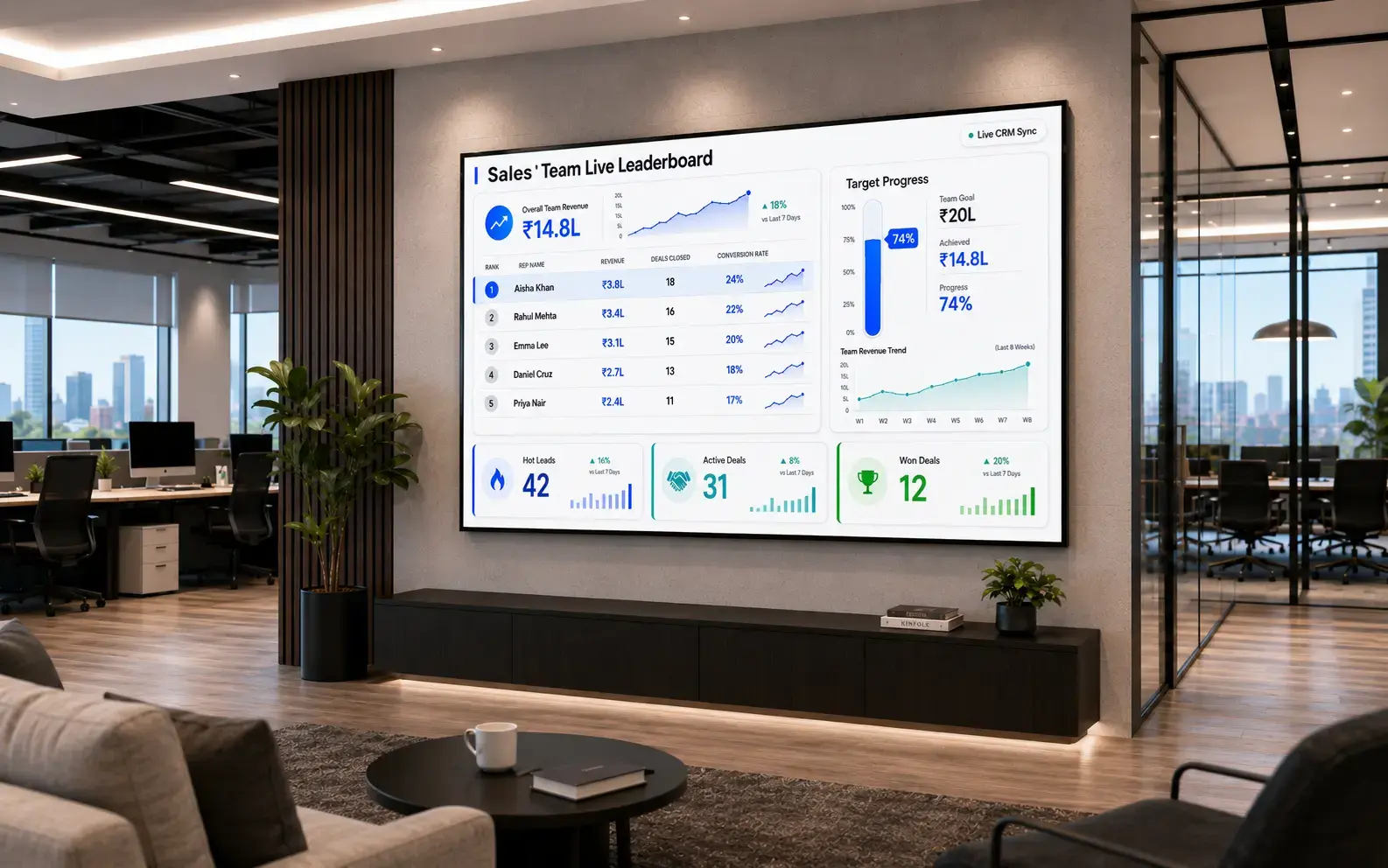
Pull live CRM data, deal pipeline updates, and individual targets onto your office screens automatically. No manual refreshes. No waiting for the weekly meeting. Your board updates the moment your data does. As part of Pickcel's cloud-based digital signage platform, the digital sales board connects directly to your data sources and displays live results across every screen in your office.

Trusted by 9,000+ Businesses · 150,000+ Screens · 70+ Countries






SOC 2 Type II
ISO Certified
What Is a Digital Sales Board?
A digital sales board is a screen or set of screens connected to live sales data, displaying real-time revenue figures, individual leaderboards, deal pipeline activity, and team targets. It gives every member of the sales team continuous performance context rather than waiting for a scheduled report.
The key difference from a TV showing a spreadsheet: the display refreshes automatically from a connected data source. No one needs to queue up and update a slide. When a rep closes a deal, the board reflects it within minutes.
For a deeper look at how these systems work, see Pickcel's digital sales board software.
- Connects to Google Sheets, REST APIs, Salesforce, HubSpot, Pipedrive, and more
- Live leaderboard templates — live on screen in under an hour from first setup
- Multi-screen management: regional and company-wide views from one account
- SOC 2 Type II and ISO 27001 certified — role-based access controls for sensitive revenue data
Your Sales Team Is Working Without Live Performance Context
Your Sales Data Is Always Out of Date
A spreadsheet projected on the wall reflects the last time someone opened it and updated the numbers. By the time the team sees it, figures have already changed. Reps act on stale targets. Managers lose the ability to make intraday adjustments based on real performance.
Keeping It Running Requires a Dedicated Person
Manual sales boards need someone to pull CRM reports, paste numbers into slides, and push the update. That person has other responsibilities. The board falls behind. Then it stops getting looked at.
Performance Visibility Happens Once a Week
Without a live display, most sales reps learn how they are tracking only when a manager tells them. Weekly meetings concentrate feedback instead of distributing it continuously. Momentum builds or stalls between check-ins, with no way for the rep or manager to act on it in the moment.
How Pickcel Handles Every Manual-Board Problem
| Problem you have today | How Pickcel handles it | What you get |
|---|---|---|
| CRM data refreshes are manual | Live connection to your data source, updated continuously without a person in the loop | Always-current figures on every screen |
| One person maintains the display | Cloud-managed system with scheduled and event-triggered updates | Zero ongoing admin after initial setup |
| Sales team only gets feedback in meetings | Always-on leaderboards and KPI displays across the sales floor | Continuous performance context for every rep |
| Different teams need different views | Role-based layouts — company, regional, or individual data per screen | Right data on the right screen |
| Scaling to new offices or more screens | Multi-screen management from one dashboard | Add screens without adding management overhead |
9,000+
Businesses managing screen content with Pickcel across 70+ countries
Under 1 hour
Typical time to set up and publish a live sales leaderboard for the first time
Zero manual updates
After initial data connection, the board refreshes automatically from the source system
What Pickcel's Digital Sales Board Software Does
Live Data Connections
Pickcel connects to your existing data sources: Google Sheets, REST APIs, and embed-compatible URLs from reporting tools and business dashboards. Your sales board pulls the latest figure from the source the moment it changes, and the screen reflects it automatically.So you can: Display a rep's closed deal within minutes of it being logged.
Leaderboard and Scoreboard Templates
Pre-built display templates cover individual rep leaderboards, team-versus-target comparisons, deal pipeline summaries, and daily progress trackers. Pick a template, connect your data, adjust colours and branding. A professional leaderboard is live within an hour of setup.So you can: Launch a polished sales board without a designer or developer.
Drag-and-Drop Layout Builder
The custom layout editor lets you arrange data widgets, text, images, and media in any configuration. No design tools needed. No developer time required. You build exactly what your team needs to see, directly in the Pickcel dashboard.So you can: Create a bespoke sales view without writing a single line of code.
Multi-Screen Management
Deploy and manage displays across multiple screens, rooms, or office locations from a single account. The regional team's screen shows regional figures. The central floor display shows company-wide performance. One person manages every screen in the building without leaving their desk.So you can: Scale from one screen to twenty without adding admin overhead.
Content Scheduling and Triggers
Schedule what appears on each screen by time of day or day of week. Morning huddle shows closing stats from the previous day. During the workday, it switches to live leaderboards. End of shift shows final tallies against target. The right sales data appears at the right moment, automatically.So you can: Match your screen content to the rhythm of your sales day.
Three Steps to a Live Sales Board
Most teams are live with their first digital sales board in under an hour.
Connect Your Data Source
Link Pickcel to where your sales data lives. Google Sheets is the fastest starting point: export a live report view from your CRM into a shared sheet and connect it to Pickcel. If your system has a REST API, Pickcel can pull directly from it. Any embed-compatible URL from a reporting tool can be displayed on screen.
Build Your Layout
Open the layout builder and choose a leaderboard template or start from scratch. Arrange data widgets, text, and brand elements. Adjust colours and fonts to match your company identity. The builder requires no design software and no technical skills.
Publish to Your Screens
Assign the layout to one screen or many. Pickcel runs on commercial screens, smart TVs, and dedicated media players connected via HDMI. If the screen has an HDMI port and internet access, it is compatible. Publish once. The board runs and updates from that point forward.
Data Sources and Integrations
Pickcel displays data from the systems your sales team already uses.

Google Sheets
The fastest path to a live board. Export a live report from your CRM into Google Sheets and connect it to Pickcel. When the sheet updates, the board updates. Works with any CRM that supports data export, including Salesforce, HubSpot, Pipedrive, and Zoho.

REST APIs
If your CRM, business intelligence tool, or custom dashboard exposes a REST API, Pickcel can connect to it directly and pull JSON data at your chosen refresh interval.

Dashboard Embeds
Display a live reporting view from Salesforce, HubSpot, Tableau, Power BI, or any tool that produces an embed-compatible URL. Pickcel displays a live Salesforce dashboard on screen alongside all other data sources.

Custom Web Applications
Any URL-based display can be rendered on a Pickcel screen, including internally built sales dashboards and custom data visualisation tools.
How Sales Teams Use Pickcel
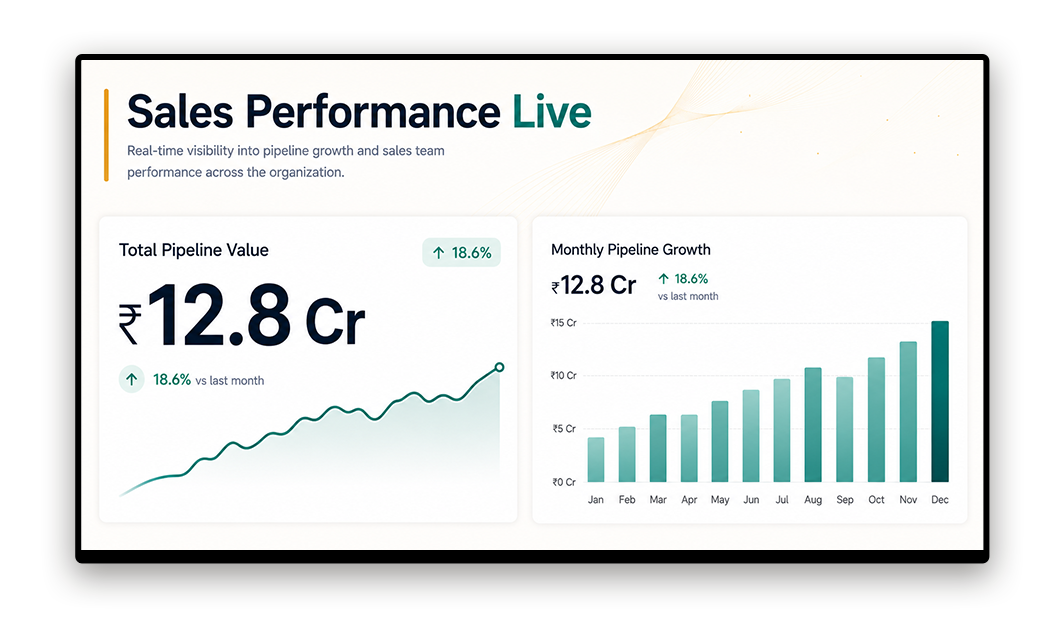
B2B Sales Floor
As a digital sales board software deployment, a sales board integrates directly into the office screen network. A 40-person enterprise sales team displays daily pipeline value, deals closed this week, and a live individual leaderboard ranked by revenue. Managers no longer send morning email updates — the board carries that context. Reps check it when they arrive and after every call.
So you can Live context replaces the morning email update
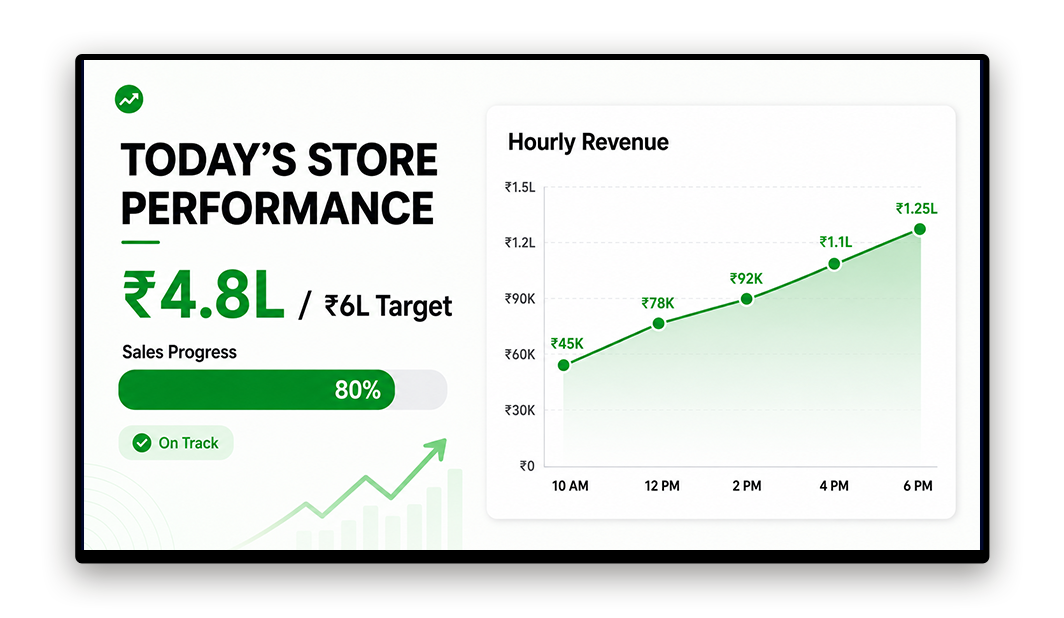
Retail Operations
A multi-store retail brand shows each location's daily sales target versus actual revenue on a screen behind the service counter. Top-performing product categories update hourly based on POS data piped through a connected sheet. Store managers track intraday performance without logging into the reporting system.
So you can Intraday performance visible without a dashboard login
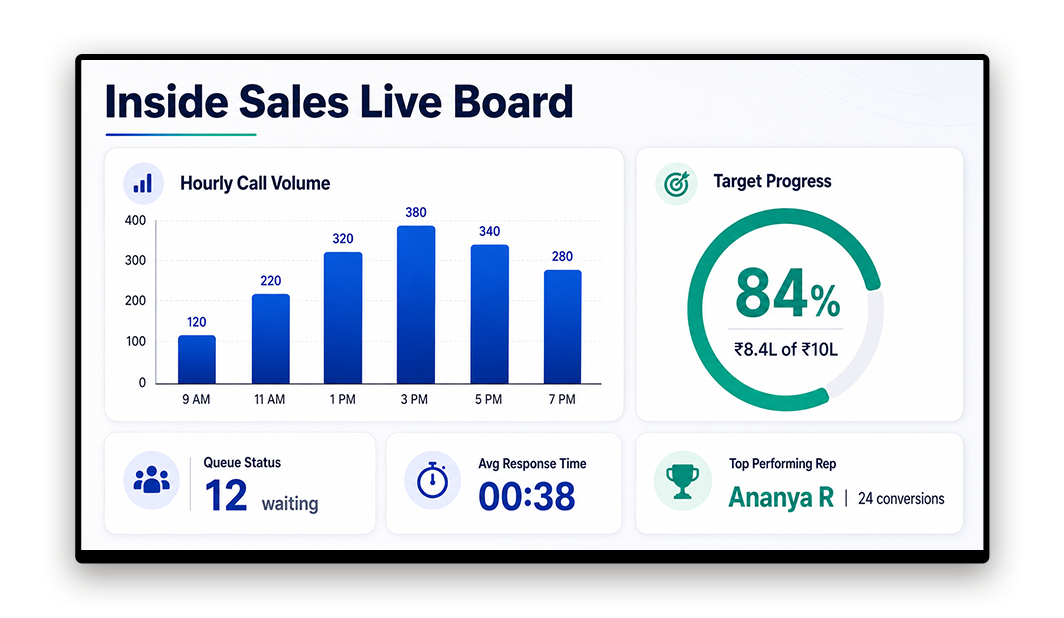
Call Centre and Inside Sales
An inside sales team displays call volume per rep, conversion rate by shift, and daily target progress on screens above the floor. Queue status refreshes every 60 seconds. Team leaders use the live board during shift briefings rather than pulling manual reports before the meeting.
So you can Shift briefings run from the live board, not manual reports
Security and Compliance for Revenue-Sensitive Data
Sales performance data is commercially sensitive. Pickcel is SOC 2 Type II and ISO 27001 certified. Role-based access control means only authorised users can edit layouts or publish to screens.
SOC 2 Type II
Your data handling meets the AICPA's security, availability, and confidentiality trust principles — independently audited.
ISO 27001
International standard for information security management. Pickcel's systems, processes, and controls are certified annually.
Role-Based Access Control
Control who can edit layouts or publish content. Display sensitive revenue figures without exposing edit access to the wider team.
Trusted by 9,000+ Businesses Managing 150,000+ Screens Worldwide
Pickcel's digital signage platform is used by businesses across 70+ countries — from B2B sales operations to retail chains and call centres. SOC 2 Type II and ISO 27001 certified.
"We set it up in under an hour. The data connected straight from our CRM via a Google Sheet and the leaderboard was live by lunch. The team started checking it immediately — now it's the first thing people look at when they arrive in the morning."
Sales Manager
Pickcel Customer · B2B sales team
Straightforward Pricing, No Specialist Hardware
Plans priced per screen per month. No long-term contracts. 14-day free trial. Pickcel runs on any commercial screen or smart TV — no proprietary hardware required.
Ready to Put Live Sales Data on Your Office Screens?
Most teams have their first digital sales board live in under an hour. Connect your data, build your layout, and publish to every screen in your office from a single dashboard.
No credit card required · 14-day free trial · Trusted by 9,000+ businesses
Frequently Asked Questions About Digital Sales Boards
Still have questions?
Our team is here to help with anything not covered above.
You Might Also Like
Employee Communication App
Reach every worker on every channel — complementary corporate communication tool for the same buyer persona.
Electronic Bulletin Board Software
Screen-based office notice board — related office display solution that often co-deploys with a sales board.
KPIs to Display on Your Office Screens
Ideas for what to actually show on a sales or performance board.
See it live: Book a 15-minute walkthrough
Live walkthrough of Pickcel's digital sales board — see your data on screen in under 20 minutes.