
Pickcel Digital Signage Integration with Cisco Webex
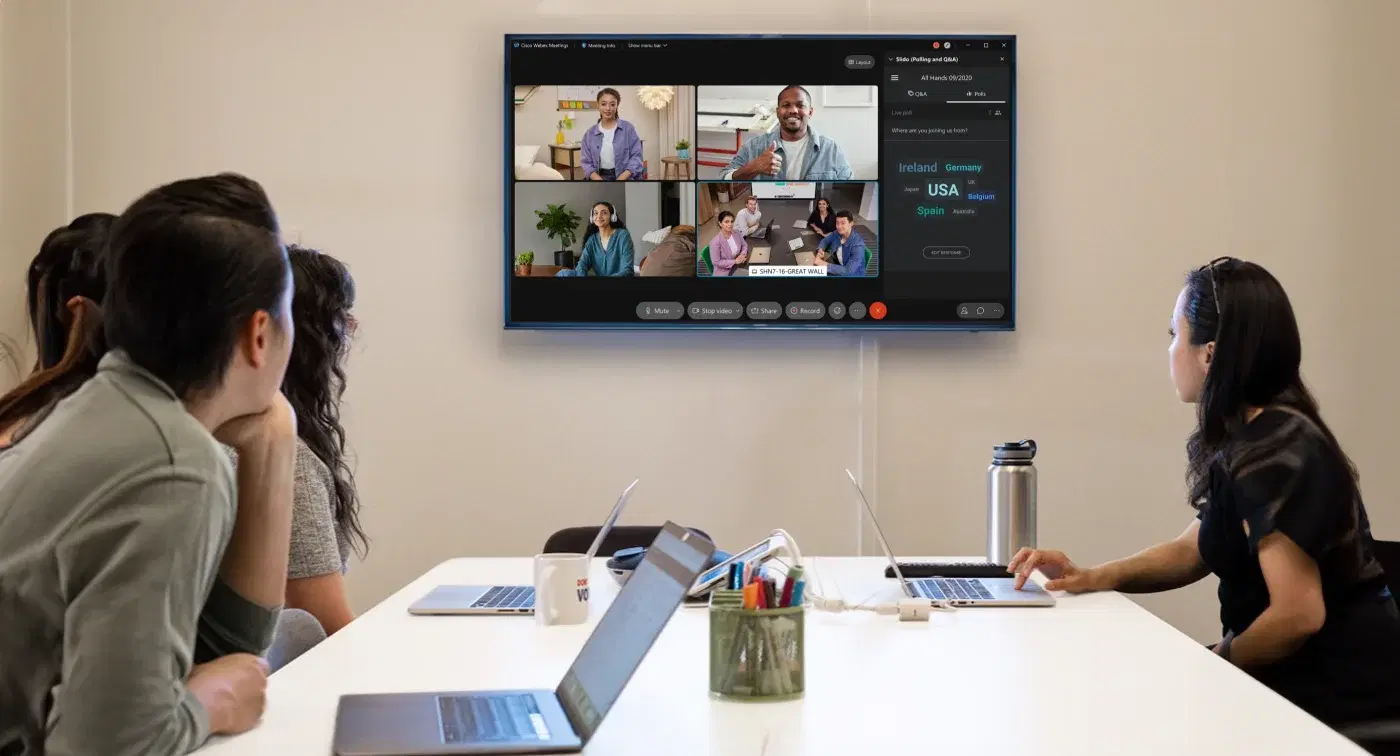
Are your meeting rooms feeling a bit dull? What if you could transform them into dynamic hubs that keep participants engaged before, during, and after meetings? Pickcel Digital Signage, working hand-in-hand with Cisco Webex, makes this vision a reality. By ditching the limitations of older integrations, Pickcel's clever virtual software and custom configurations unlock a whole new level of functionality. Elevate your Webex experience with Pickcel's integration. Create a more interactive and engaging environment for all participants. Embrace a dynamic future for meetings – Pickcel and Webex have your back.
This guide details how Pickcel Digital Signage integrates with Cisco Webex for a seamless meeting room experience. By leveraging Pickcel's virtual software and custom configurations, you can overcome limitations and create a dynamic digital signage solution.
Pickcel's innovative solution
Pickcel introduces a groundbreaking approach:
Pickcel Web Player: This custom web player seamlessly integrates with Webex, allowing content display without interrupting the meeting flow.
Smooth Interaction: Pickcel ensures smooth transitions between the Webex meeting and Pickcel content. Users can engage with Pickcel content while the screen is in an idle state without being thrown back to the meeting state, and vice versa.
Virtual Software Tailored to Needs: Pickcel provides a virtual software solution that can be customized to meet your specific requirements.
Webex Configuration Made Easy: Pickcel simplifies the configuration process for Webex, allowing for a user-friendly experience.
Maximize meeting room value with digital signage
Cisco Webex meeting rooms are essential tools for collaboration, but often sit unused between meetings. Pickcel Digital Signage bridges this gap, transforming them into dynamic hubs that grab attention from the moment participants enter. Showcase company information, upcoming events, or other valuable content while Webex is idle. This not only keeps your meeting space visually engaging but also informs and educates attendees even before a meeting begins. Pickcel ensures a smooth transition between your Webex session and the signage content, creating a unified and impactful experience.
Overcoming challenges
Pickcel's integration addresses a key challenge:
Outdated Browser Caching: Webex previously utilized an older browser version with caching limitations. Pickcel implemented modifications to ensure compatibility and smooth operation.
Enabling URLs in Webex through the Pickcel console
Here's how to enable URL launching within Webex using Pickcel's intuitive console:
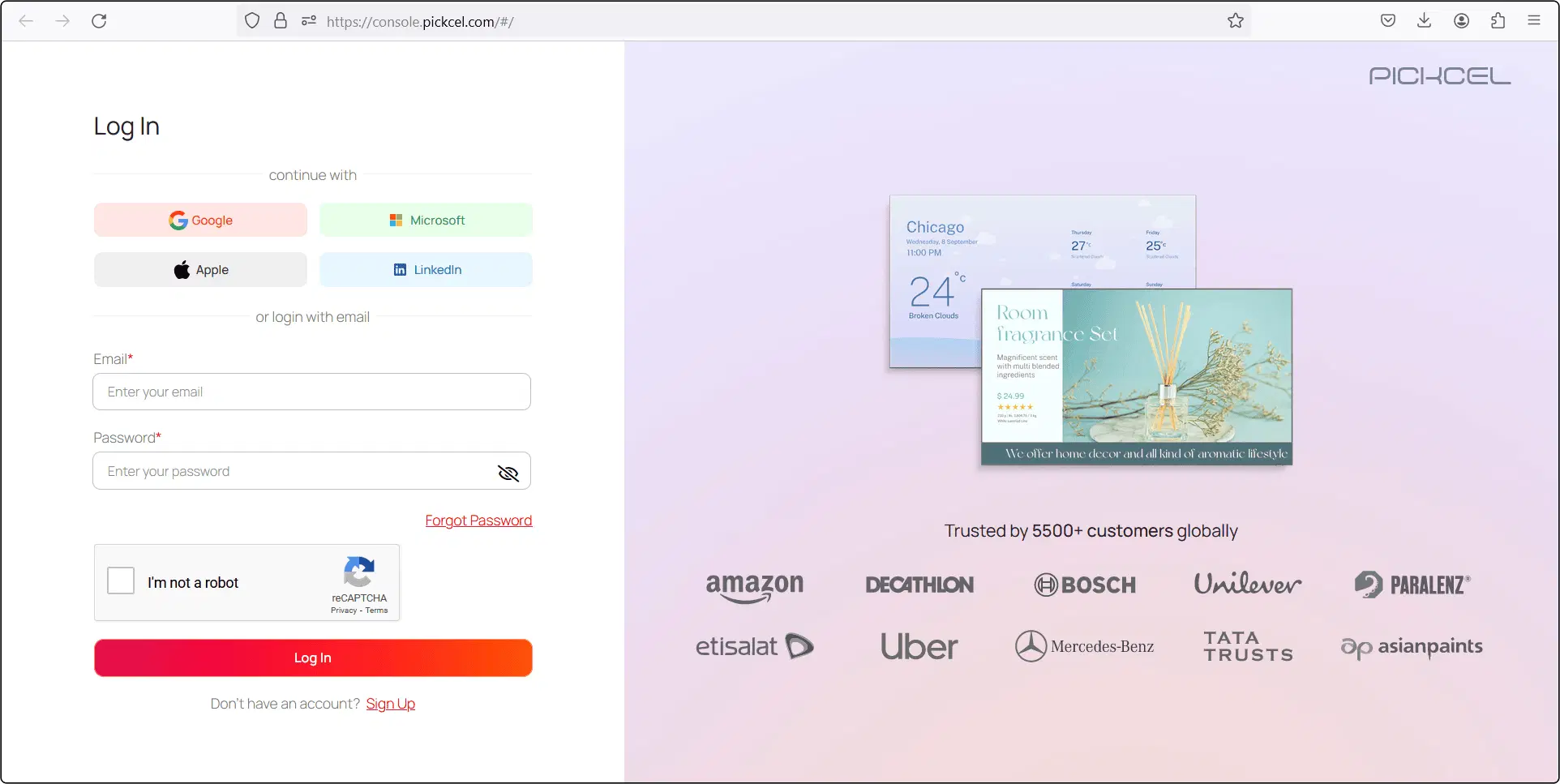
Step 1 - Login to your Pickcel Digital Signage console
To access the Pickcel Zoom widget, you must create a free account. Although Pickcel offers most of its features free for a trial period of 14 days, the Zoom app is a premium app available only to the Pickcel Business Plan users.
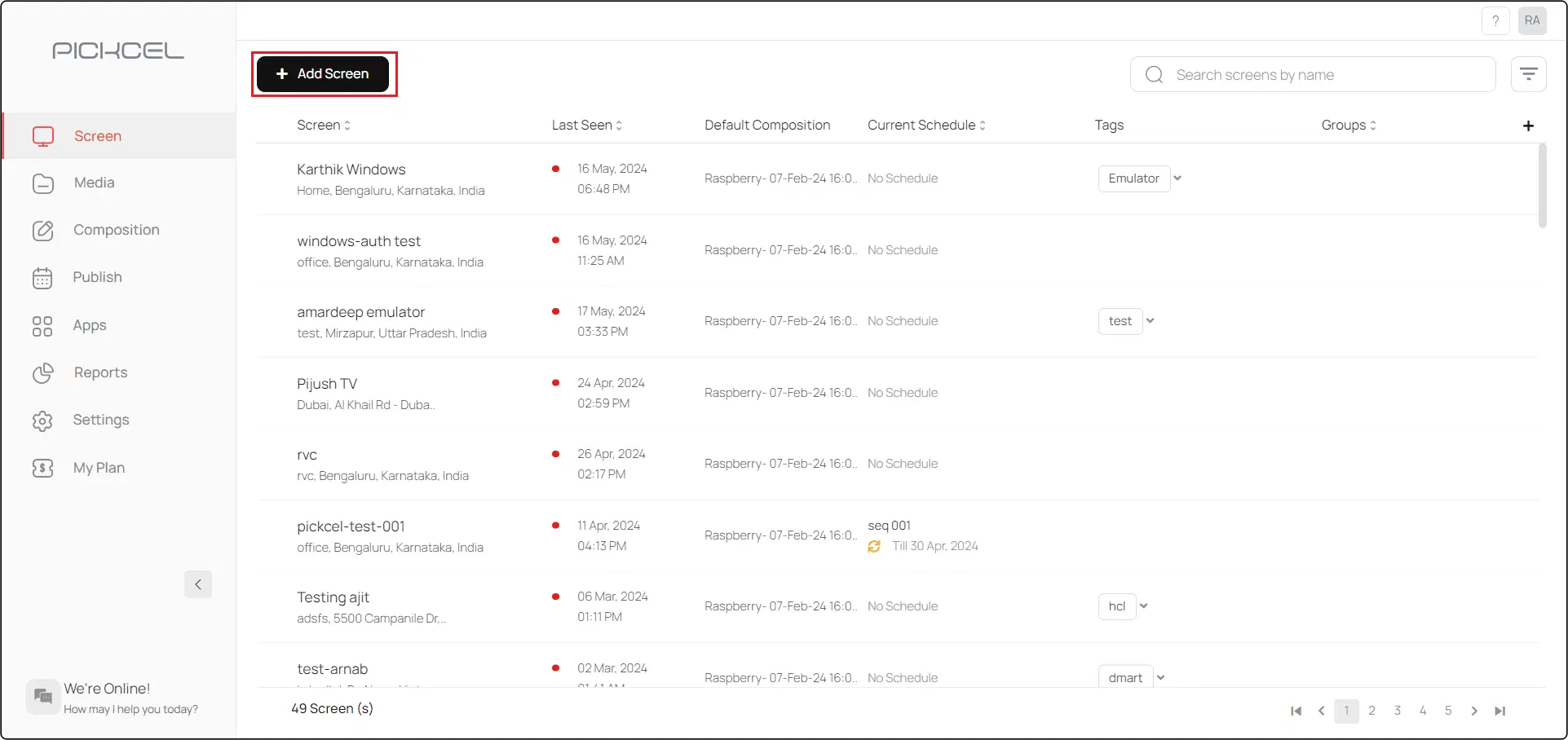
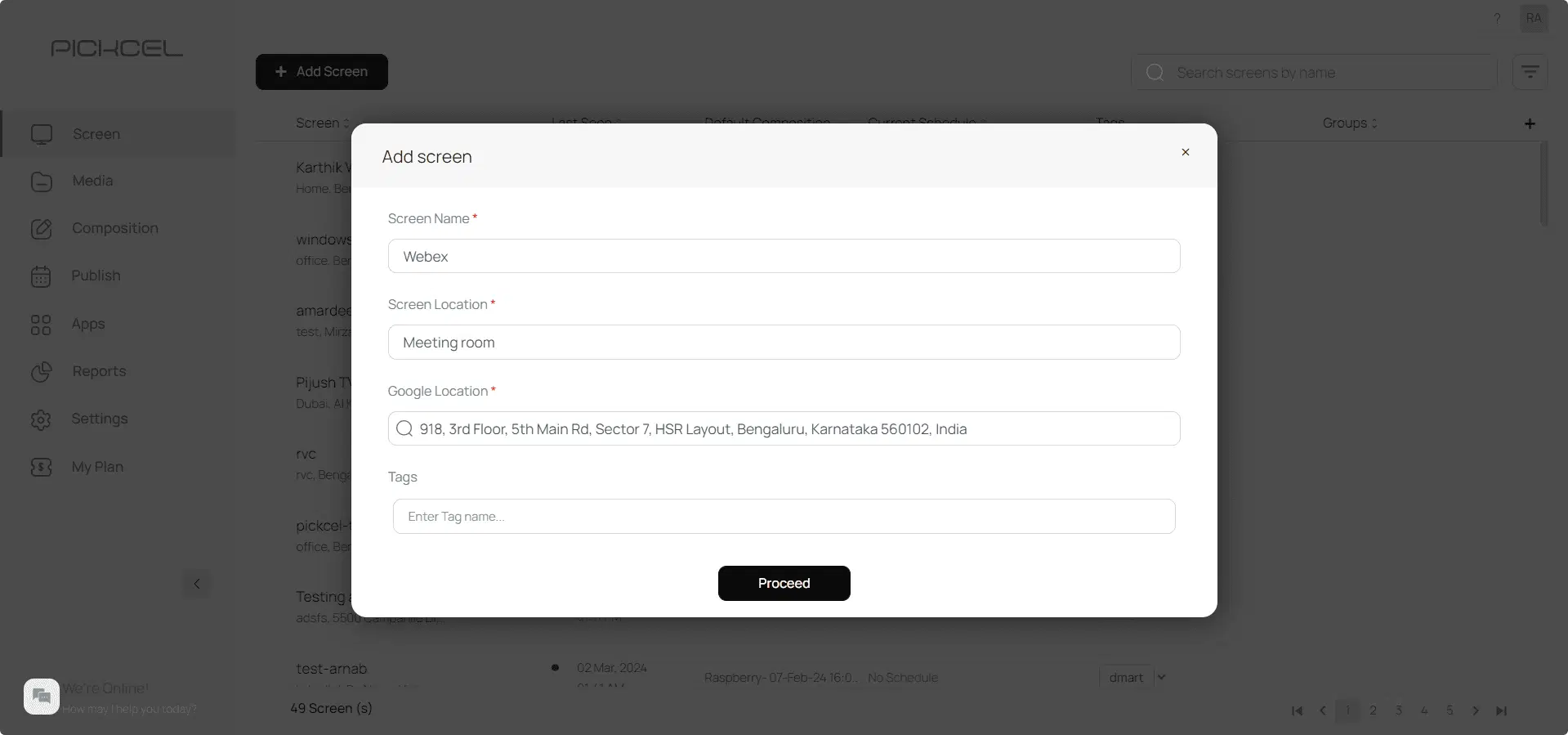
Step 2 - Go to Screens and click on Add Screen
Step 3 - Click on Get screen code to obtain your Screen Registration Code
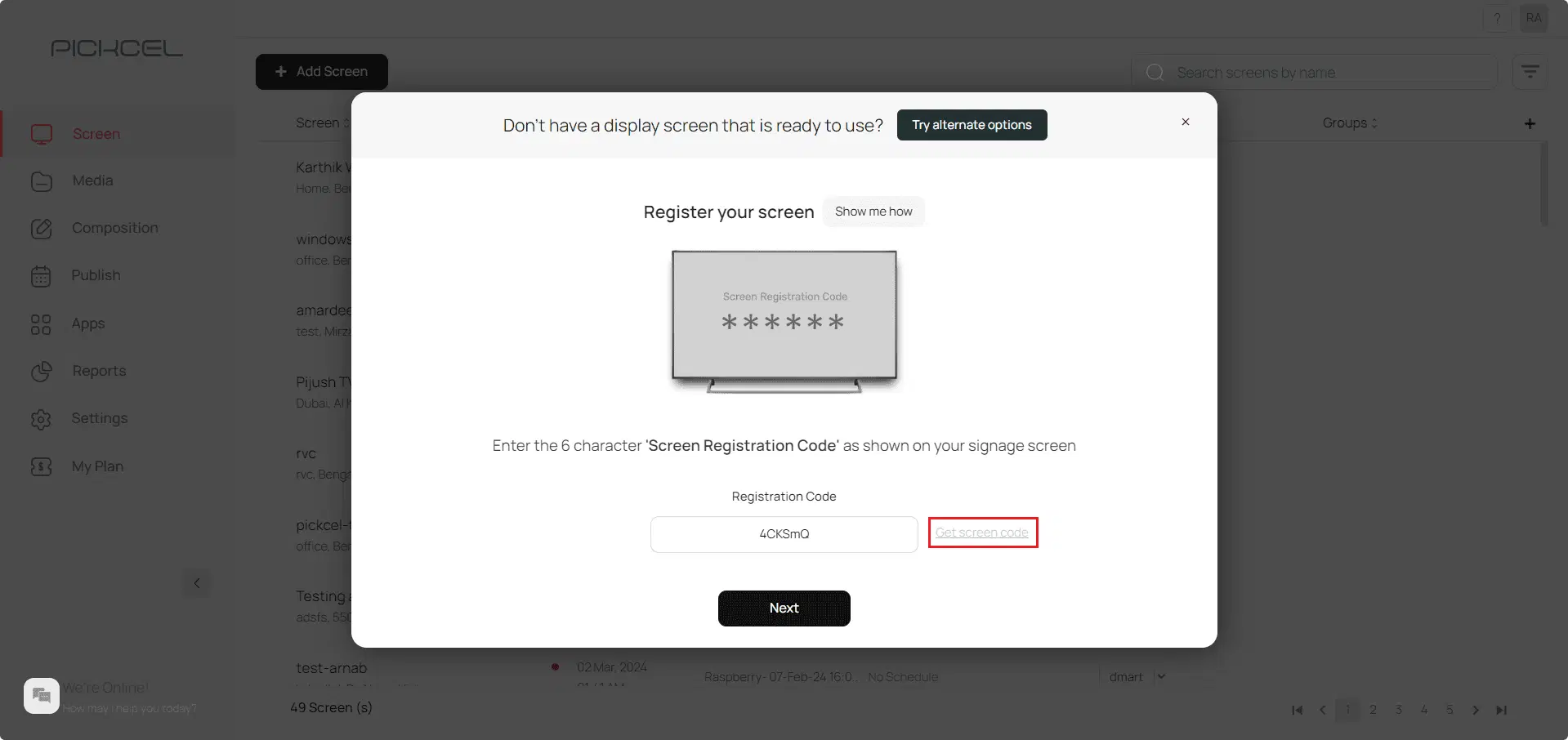
Step 4 - Enter all the relevant details for your screen and click Proceed. Your screen will be registered successfully
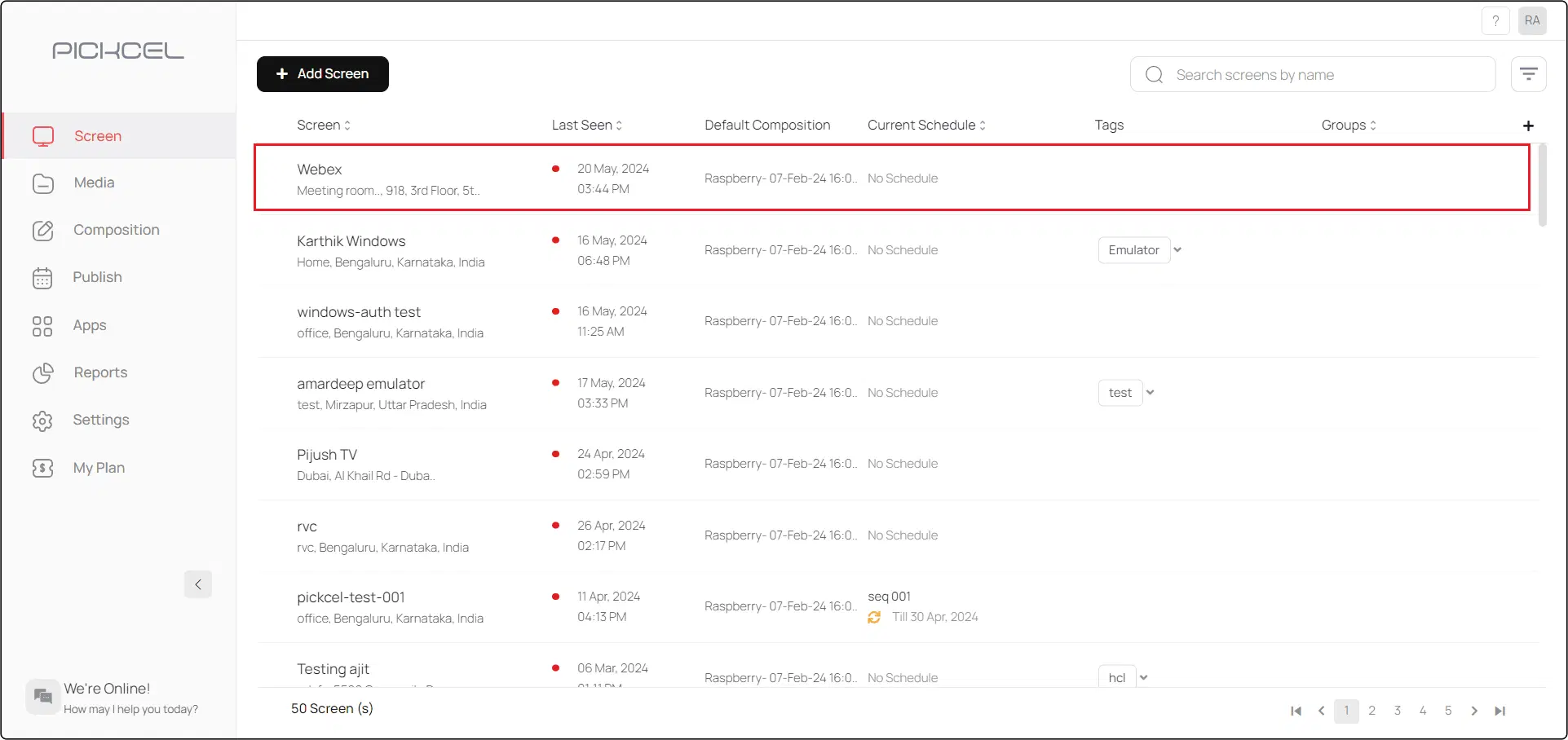
Step 5 - Select your screen from the list of activated screens
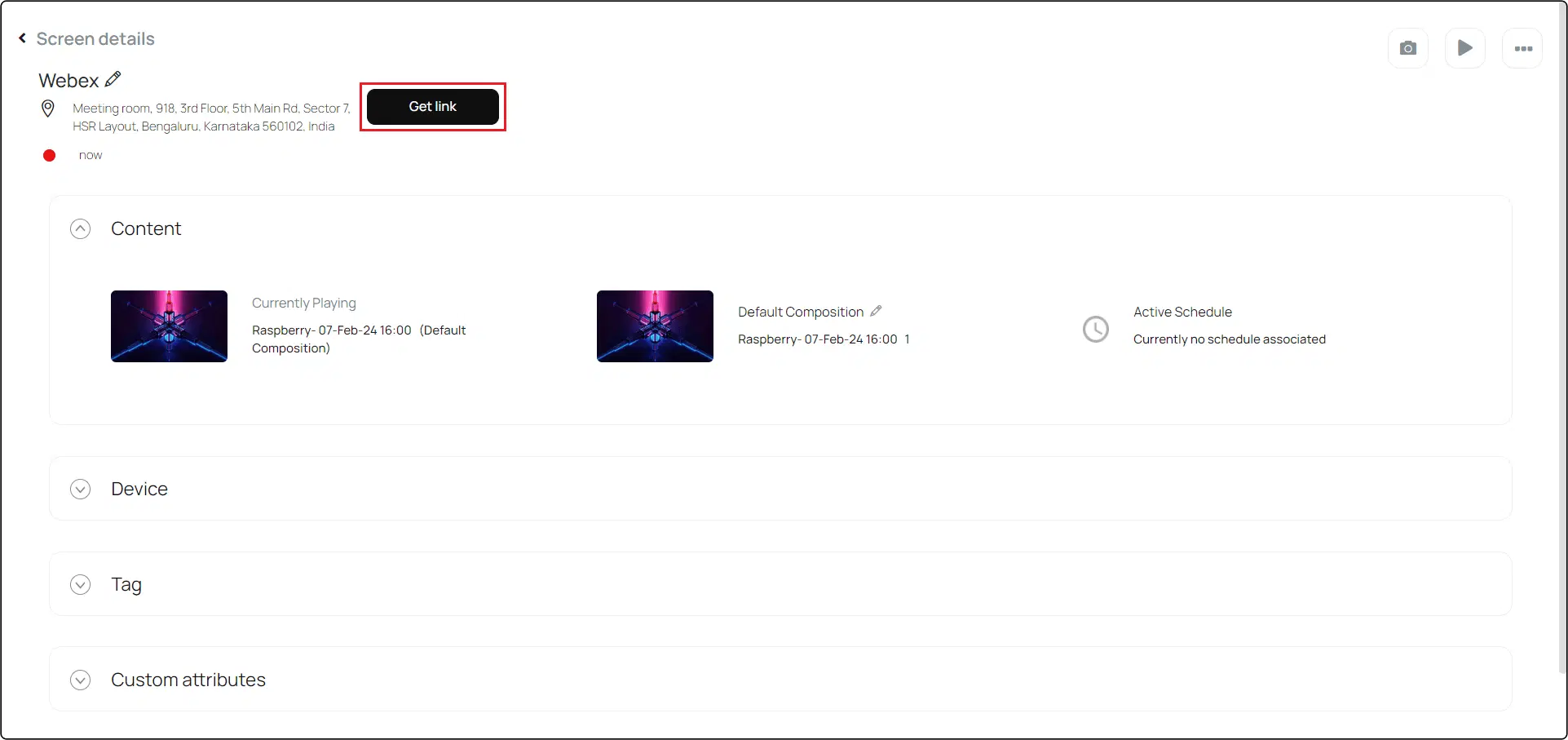
Step 6 - Click on Get link. The URL will be generated
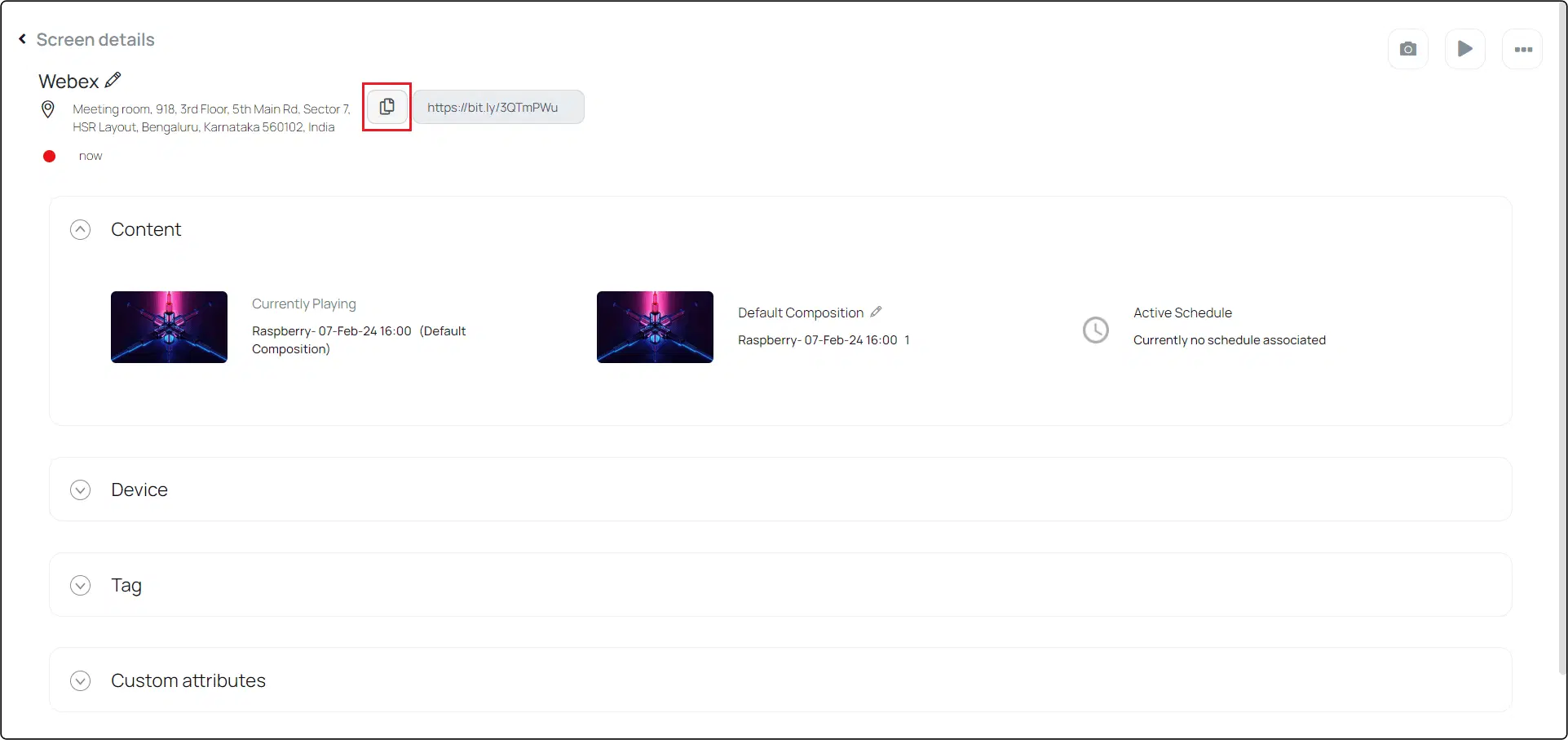
Step 7 - Copy the URL
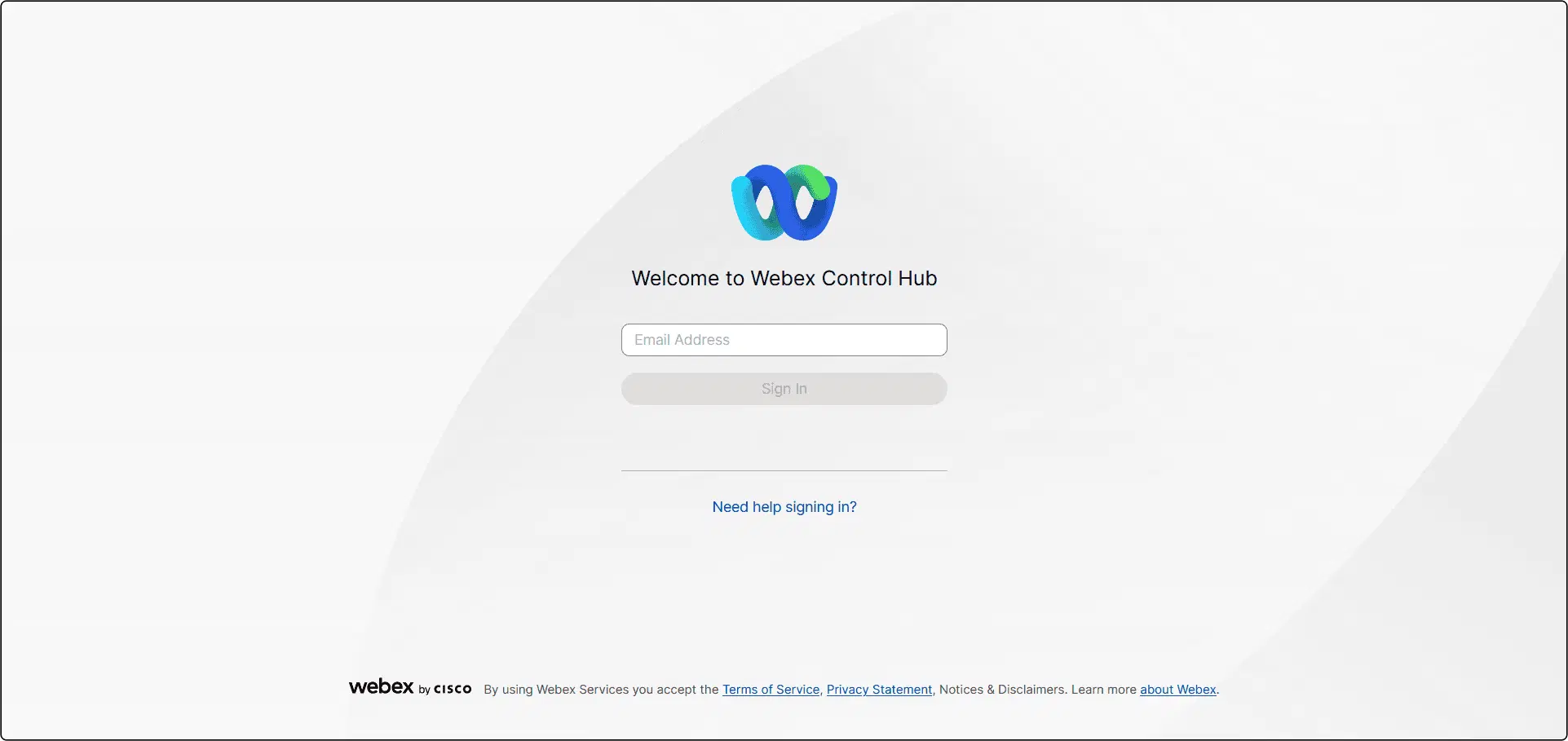
Step 8 - Login to Cisco Webex Control Hub with your account details
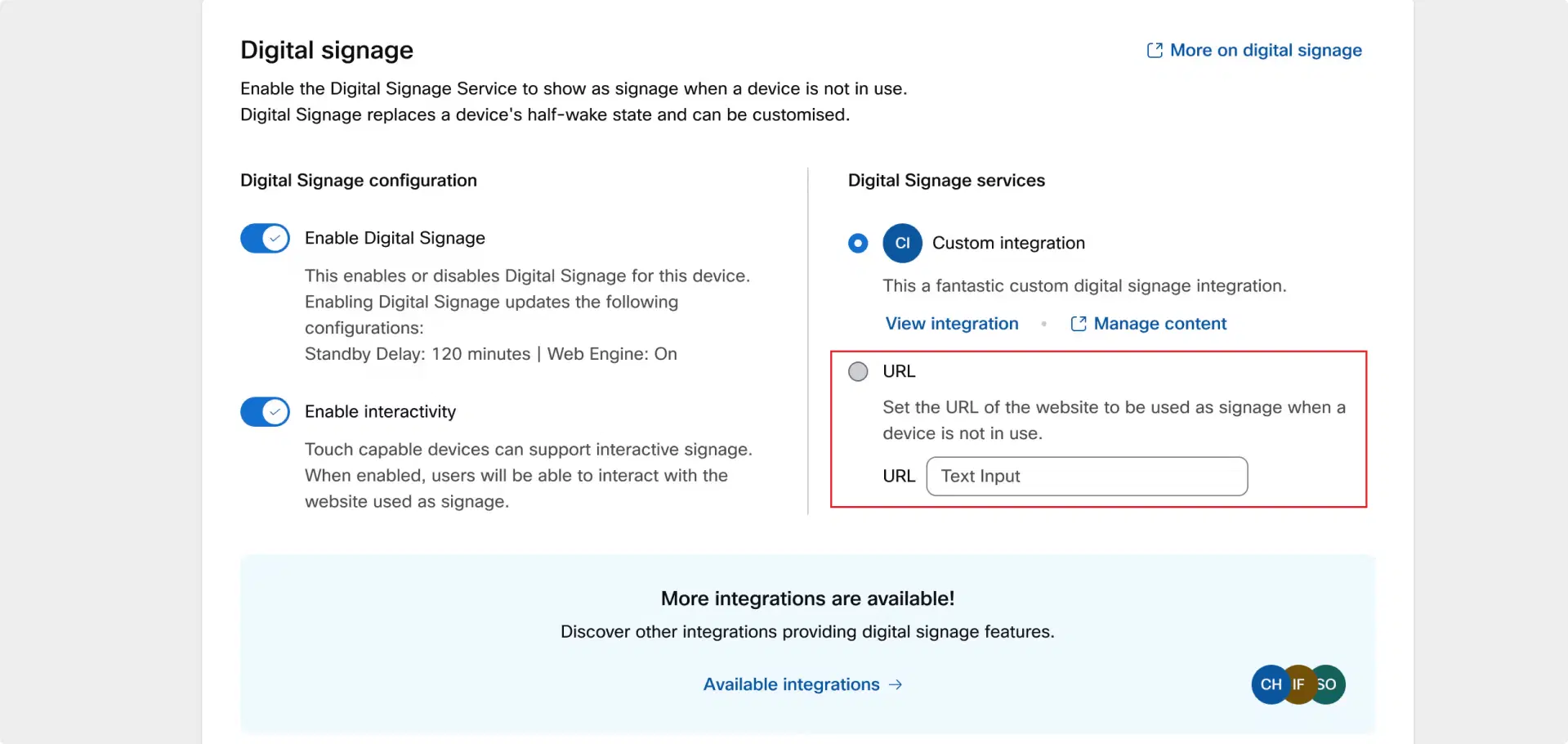
Step 9 - Follow the on-screen instructions to activate URL launching functionality within Webex. Paste the URL that you previously copied onto the provided field for the URL that is to be used as signage when the device is not in use. Save your changes
Pickcel's integration with Webex not only simplifies the technical aspects but also opens up creative avenues to communicate and collaborate more effectively than ever before. It changes meeting spaces from just a place for discussions to a center of innovation and interaction. Experience the future of dynamic meeting environments with Pickcel and Webex, where every meeting becomes an opportunity to impress and engage. To learn more about what Pickcel can offer, visit Pickcel's official website