Airport Digital Signage Software
Manage gate boards, flight displays, wayfinding, and passenger communication across your entire terminal from one central dashboard.

Trusted by businesses worldwide
SOC 2 Type II
ISO Certified
What Is Airport Digital Signage?
Airport digital signage is cloud-managed display software that lets airports and transit hubs update gate boards, wayfinding screens, FIDS displays, and passenger information systems in real time from a central dashboard.
Airport teams use it to communicate across the full terminal footprint: from landside check-in halls to airside departure gates, passenger lounges, and back-of-house crew areas. Whether the airport serves two million or sixty million passengers annually, the core challenge is the same: accurate, current information on every screen, managed from one place by a small team.
Key facts
- Pickcel manages 150,000+ screens for 9,000+ businesses across 70+ countries
- Compatible with 50+ commercial display types, works on existing airport screen infrastructure without a hardware replacement cycle
- SOC 2 Type II and ISO 27001 certified, meeting airport authority information security procurement requirements
- Real-time cloud updates propagate gate board and flight status changes to all connected screens in seconds
- One dashboard controls all screen types: FIDS boards, gate displays, wayfinding screens, lounge advertising, and employee screens
Best for
The Challenge of Keeping Airport Passengers Informed
Global air travel reached a record 9.8 billion passengers in 2024, according to the International Air Transport Association. That volume means more disruptions, more gate changes, and more passengers depending on accurate screen information to reach their flights on time.
Gate Changes Create Cascading Problems
A last-minute gate reassignment affects every relevant display in the terminal. On-site AV staff cannot update dozens of zones simultaneously. Passengers who miss flights due to outdated gate displays expect the airport to explain why, and system lag is not a satisfactory answer.
Fragmented Infrastructure Blocks Centralised Control
Large airports operate screens installed across years, running different hardware, managed by different teams. Airlines control gate displays. The airport authority manages wayfinding. Without a unified platform, each zone operates as a silo with inconsistent messaging and duplicated staffing overhead.
Inaccurate Information Erodes Airport Trust
Passengers who cannot find gate assignments, baggage carousel numbers, or boarding times leave with a negative impression of the airport, regardless of how smooth the flight was. Consistent, real-time information on every display is a baseline service quality requirement, not an optional feature.
What Airports Use Pickcel For
Pickcel supports airport communications across six primary use cases, from live flight data to employee operations.

FIDS and Departure and Arrival Boards
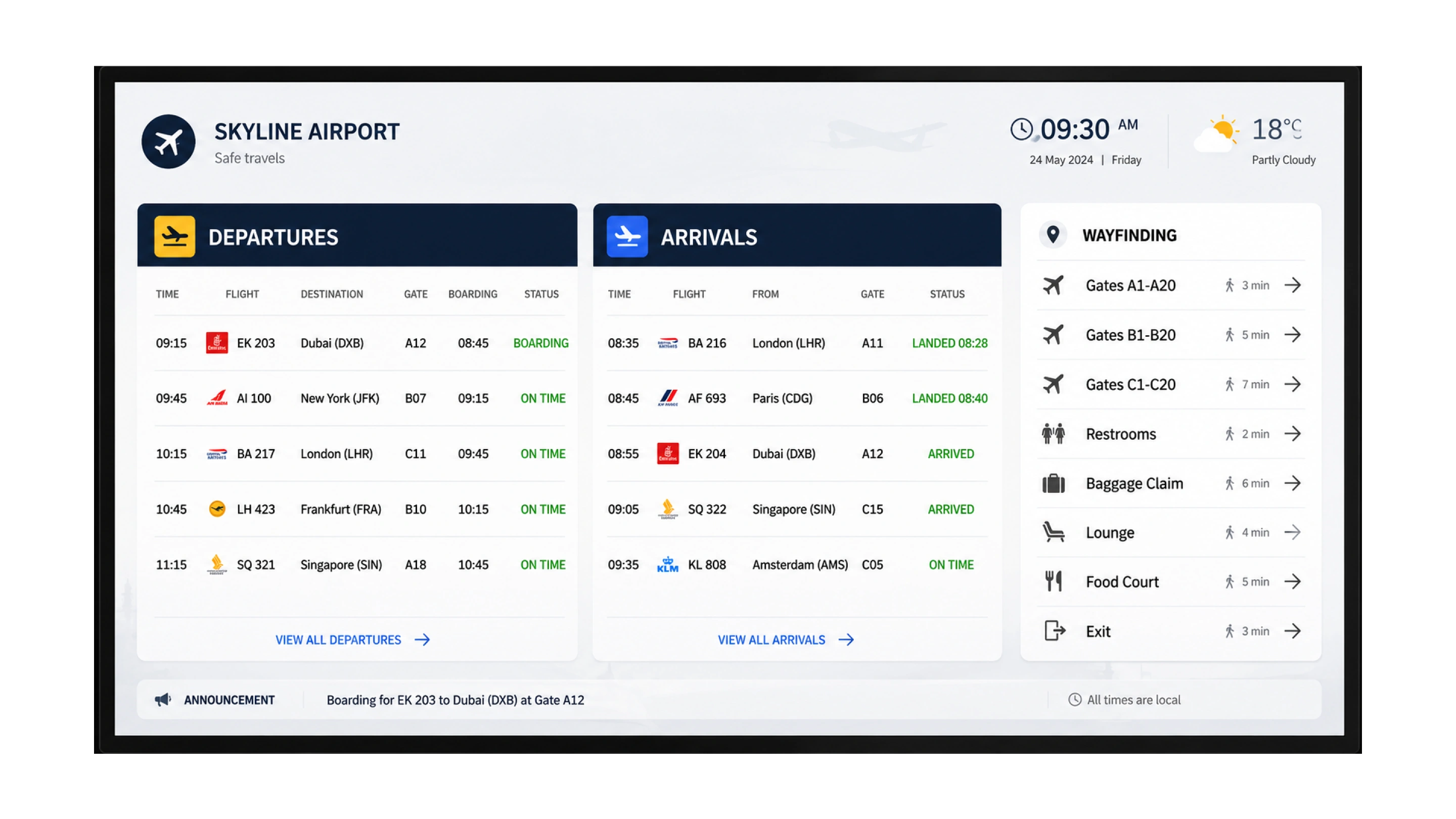
Pickcel connects to live flight data feeds or CMS-managed schedules to update every terminal screen automatically, with multi-zone layouts that combine flight status, advertising, and wayfinding content on a single screen. For full FIDS integration details, see Pickcel's digital signage flight information software.

Gate Information Boards
Pickcel updates all gate displays simultaneously from the cloud, with role-based permissions that let airlines manage their own gate zone content while the airport authority retains full network override capability.

Passenger Wayfinding
Pickcel lets airport teams update terminal maps, zone directories, and directional guides centrally, keeping every wayfinding screen accurate as configurations change. See how Pickcel supports digital wayfinding in complex built environments.

Lounge and Retail Advertising
Pickcel lets commercial teams schedule sponsored content, F&B promotions, and duty-free offers by zone and departure window — so a long-haul lounge receives different promotions than a regional commuter gate, generating non-aeronautical revenue from existing screens.

Emergency Announcements
Pickcel pushes a full-screen priority alert to all connected displays instantly from the cloud dashboard, overriding scheduled content across every terminal — and restores normal programming automatically once the alert is cleared. See how to publish emergency alerts with Pickcel for full configuration options and alert workflow details.

Employee and Operational Screens
Pickcel displays crew briefings, shift rosters, and operational dashboards on back-of-house screens from the same cloud dashboard as all passenger-facing displays, with separate content permissions ensuring internal content never reaches the public network.
Built for Airport-Scale Operations
Multi-Zone Layouts for Complex Screen Configurations
Feature: Any screen can be divided into independent display zones running different content simultaneously.
Advantage: One physical screen handles flight data, advertising, clock, and wayfinding without requiring separate hardware for each content type.
Lower infrastructure cost with no reduction in the information density passengers and ops teams need.
Remote Management Without On-Site AV Staff
Feature: Every connected screen in every terminal updates from a single browser-based dashboard.
Advantage: Changes take effect across the full network within seconds of publishing. No on-site deployment required.
Faster content updates at any hour, from any location, with no standing AV staff requirement at each terminal.
50+ Device Compatibility with Existing Infrastructure
Feature: Pickcel runs on Samsung Smart Signage, LG webOS, BrightSign, Android media players, Chrome devices, and 45+ other supported platforms.
Advantage: Most airports can deploy Pickcel on existing screens without a hardware replacement cycle.
A modern cloud CMS on current screen infrastructure, without capital expenditure on new devices.
Role-Based Permissions for Multi-Stakeholder Environments
Feature: Content control is assignable by zone, terminal, and user role.
Advantage: Airlines manage gate content within their scope. The airport authority controls wayfinding and emergency override. Retail concessions manage lounge advertising. No stakeholder can modify content outside their permission tier.
Multiple teams work independently while airport authority maintains centralised oversight and full override capability.
Connect Pickcel to Your Flight Data System
Real-time flight information on gate and terminal screens is the highest-stakes communication requirement in any airport. Pickcel supports FIDS screen content through scheduled data feeds and CMS-managed playlists, displaying departure and arrival times, gate assignments, flight status, and airline identifiers on any connected display.
For airports requiring a full FIDS display solution with live data connectivity, hardware compatibility details, and multi-terminal deployment guidance, see Pickcel's digital signage flight information software solution for full integration details.
See the FIDS SolutionBuilt for Airport Authority Procurement Requirements
Airport technology procurement involves security reviews, compliance documentation, and IT governance requirements that most cloud software vendors are unprepared for. Pickcel holds SOC 2 Type II and ISO 27001 certifications, covering the information security management and cloud data handling requirements that airport technology buyers typically require during procurement.
SOC 2 Type II
Independent audit of Pickcel's security, availability, and processing integrity controls, renewed annually.
ISO 27001
Internationally recognised standard for information security management systems, covering data classification, access control, and incident response procedures.
Additional controls include AES-256 data encryption in transit and at rest, role-based access controls with multi-factor authentication support, and full audit logging. Pickcel security documentation is available on request during procurement review. Review full platform capabilities on the Pickcel digital signage software page.
Pickcel in Aviation: Varanasi Airport

Airport / Aviation
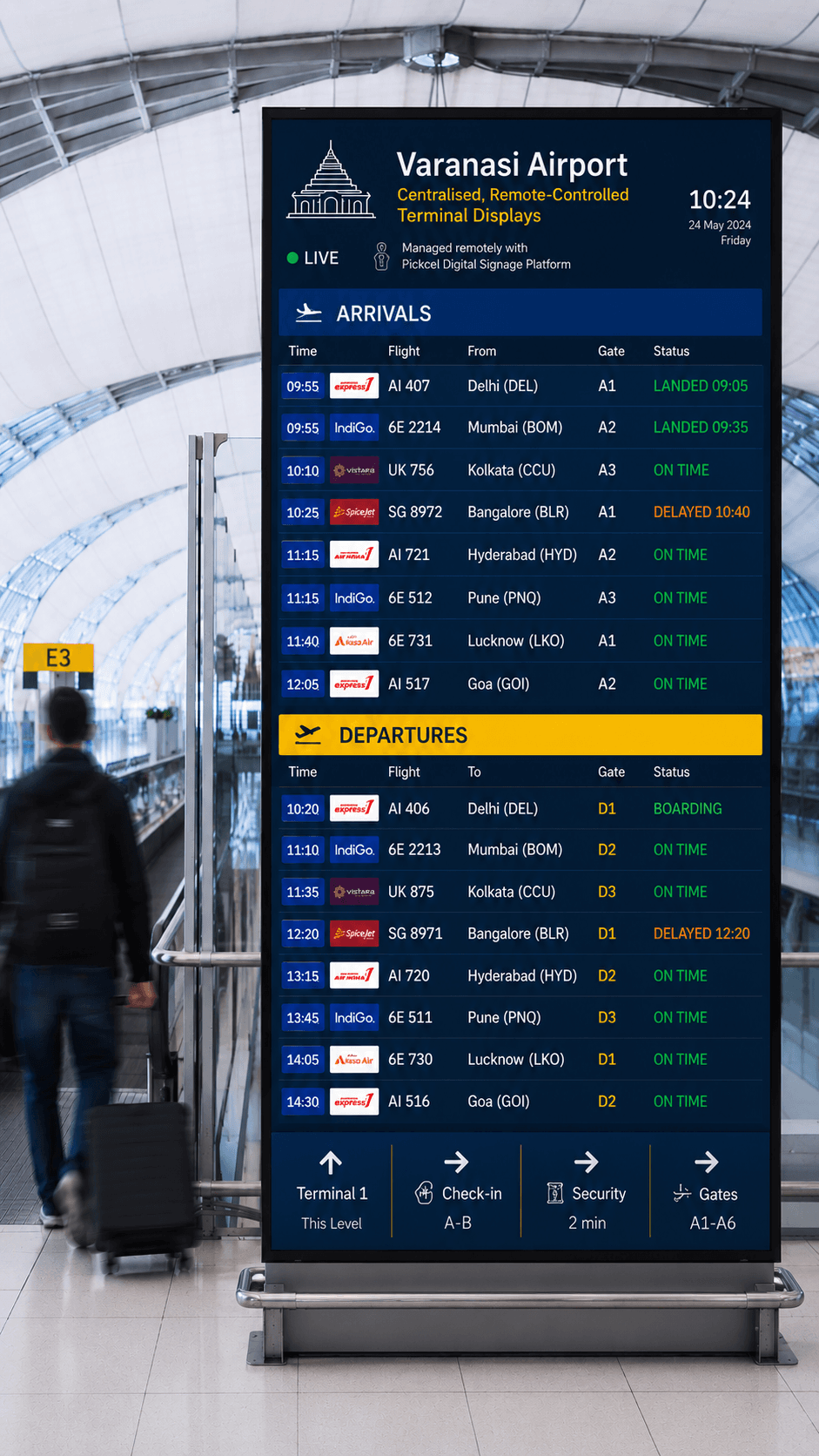
Varanasi Airport: Centralised, Remote-Controlled Terminal Displays
The Challenge
Managing display content across airport terminals with reliable real-time updates and centralised operational control.
The Outcome
Cloud-based digital signage deployed across airport terminals with remote content management and multi-zone layouts.
Manage Every Airport Screen from One Dashboard
Pickcel gives airport operations teams centralised control over every passenger-facing and operational display: gate boards, FIDS screens, lounge advertising, and emergency override, with the security certifications airport authority procurement teams require.
No credit card required. Deployment support included.
Frequently Asked Questions
Airport digital signage is software that controls passenger-facing and operational screens across terminals and gates from a central cloud dashboard. Platforms like Pickcel allow airport teams to update gate boards, FIDS displays, wayfinding screens, lounge advertising, and emergency alerts from one place without on-site AV intervention at each screen or zone.
Modern airport digital signage operates from a browser-based cloud CMS, so operations teams can push gate changes, delay announcements, or emergency alerts to every connected screen across multiple terminals in seconds, from any device, at any hour. Unlike legacy broadcast AV systems tied to on-site hardware, cloud-managed signage gives a small team centralised control over hundreds of screens, with role-based permissions for airlines, concession operators, and the airport authority itself. The platform requires no on-site server and no dedicated AV technician per terminal.
Continue Exploring
Transportation Digital Signage Software
The complete digital signage platform for transit hubs, airports, bus networks, and rail operators.
Explore →SolutionDigital Signage for Flight Information
Dedicated FIDS display solution with live data connectivity and multi-terminal deployment guidance.
Explore →Use CaseWayfinding Digital Signage
Multi-directional maps, zone directories, and directional guides for large built environments.
Explore →